Demo: EPT Sticky Menu
Features
Features
EPT Sticky Menu adds an in-page navigation bar as a regular paragraph, so editors can build it right in the node form without touching the theme.
- Sticky on scroll – the menu stays at the top of the viewport once you scroll past it.
- Scroll spy – the link of the section currently in view is highlighted automatically.
- Smooth scrolling – anchor links scroll smoothly and take the menu height into account.
- Dropdown menus – use the EPT Sticky Menu Links item to group links under a parent link.
- Mobile friendly – on small screens the menu collapses into a toggle that shows the active section name.
Installation
Installation
Install the module with Composer. The sticky-js library is downloaded automatically as a dependency:
composer require drupal/ept_sticky_menu
drush en ept_sticky_menu
After installation a new paragraph type EPT Sticky Menu becomes available. Add it to the list of allowed paragraph types in your paragraphs field (for example Components) and it will appear in the Add paragraph list.
Configuration
Configuration
The EPT Sticky Menu paragraph has its own settings on the Paragraph settings tab:
- Enable sticky functionality – make the menu stick to the top on scroll.
- Margin top – space between the top of the page and the sticky menu, useful with fixed headers.
- Sticky for – screen width breakpoint below which the menu is not sticky.
- Sticky class – CSS class added to the menu while it is stuck.
- Wrap – wrap the menu in a placeholder to avoid content jumps.
Every menu link also has its own options: open in a new tab, extra CSS classes (for example btn btn-primary), rel attribute and Scroll to ID.
Anchor links
Anchor links
To link a menu item to a section on the same page:
- Open the target paragraph, go to Design options and fill in the ID field, for example
anchor-links. - In the EPT Sticky Menu paragraph, open the menu link settings and put the same value into Scroll to ID.
- Save the page. The link now points to
#anchor-links, scrolls smoothly to the section and becomes active while the section is in view.
All sections on this page are built this way: each EPT Text paragraph has its own ID and the sticky menu above links to them.
EPT Sticky Menu Drupal module overview
You can download EPT Sticky Menu from drupal.org:
https://www.drupal.org/project/ept_sticky_menu
Or use composer:
composer require drupal/ept_sticky_menuEPT Sticky Menu contains all EPT module features including DOM Box, background color / Image / Video, Edge to Edge settings:
https://drupalbook.org/ept/demo
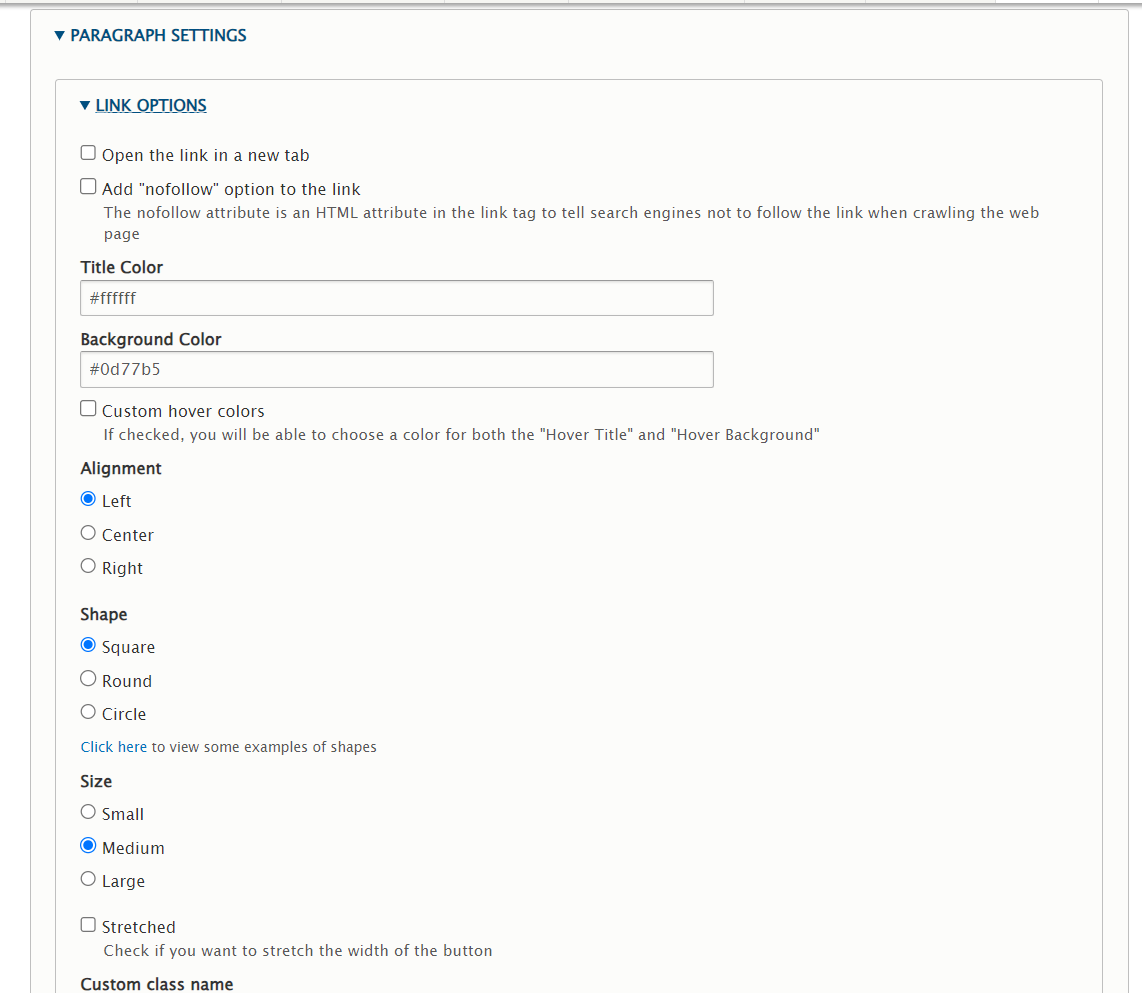
EPT Sticky has Link Options settings section: