
イベントサブスクライバーを使ってDrupalに500エラーページを追加する
Drupalやサービス、他のサイトが利用できない場合、500エラーページに遭遇することがよくあります。500(または501〜504)エラーページが表示されるとき、Drupalでは例外を使用して重要なコードが実行されたかどうかをチェックします。別のサイトへのHTTPリクエストでエラーが発生した場合、Drupalは「ウェブサイトで予期しないエラーが発生しました。後でもう一度お試しください」というエラーを表示します:
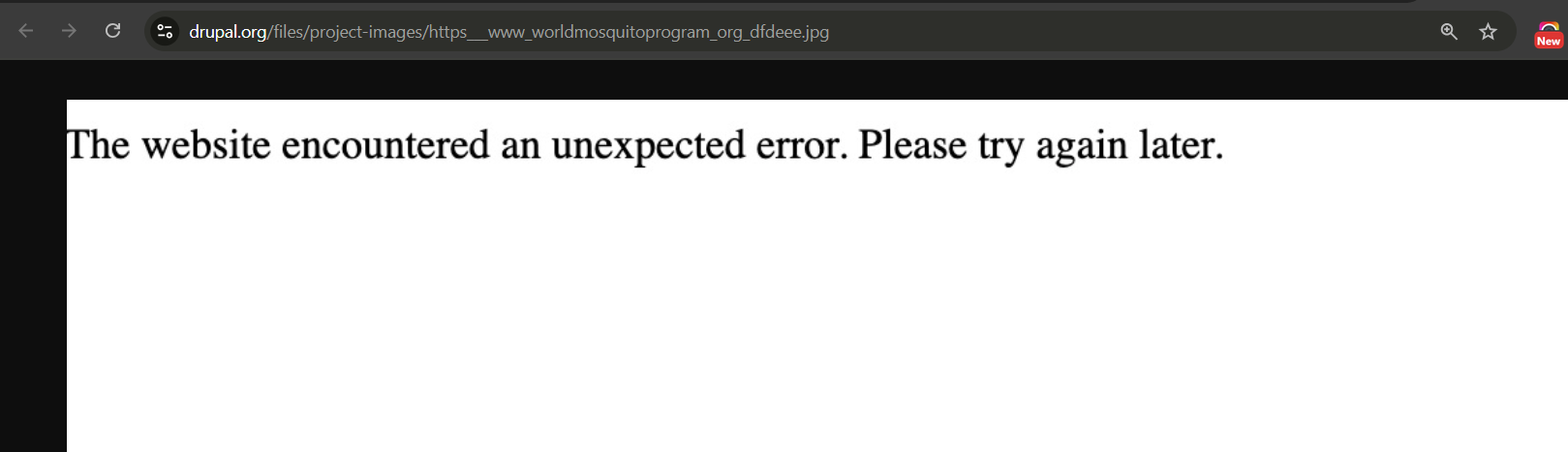
サイトでWSOD(ホワイトスクリーン・オブ・デス)が発生するのは望ましくないので、改善して代わりにスタイル付きのHTMLページを表示しましょう。
パフォーマンス上の理由から、サイトのルートにスタイル付きの500.htmlページを置いています。500エラーにスタイル付きのDrupalページを使用することもできますが、Apache/Nginxの503/504エラーにも同じページを再利用するので、このページを単一のHTMLページとして一箇所にまとめておく方が簡単です。
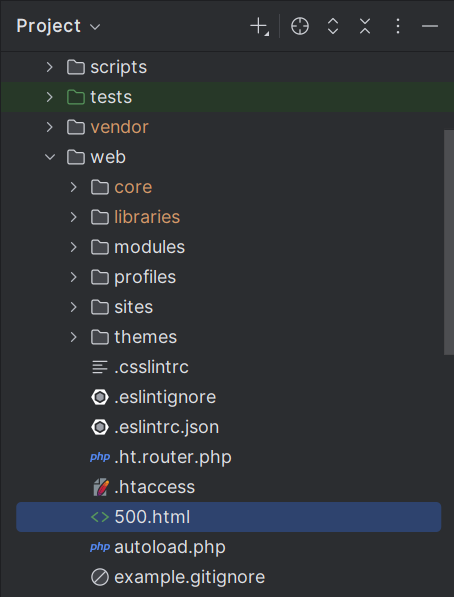
次に、カスタムモジュール DrupalBook Custom(drupalbook_custom)にコードを追加する必要があります。drupalbook_custom.services.yml にイベントサブスクライバーを追加する必要があります:
services:
  drupalbook_custom.exception_subscriber:
    class: Drupal\drupalbook_custom\EventSubscriber\SeoExceptionSubscriber
    arguments: ['@config.factory']
    tags:
      - { name: event_subscriber, priority: -250 }
drupalbook_custom/src/EventSubscriber/SeoExceptionSubscriber のコードは次のとおりです:
<?php

namespace Drupal\drupalbook_custom\EventSubscriber;

use Drupal\Component\Render\FormattableMarkup;
use Drupal\Core\Config\ConfigFactoryInterface;
use Drupal\Core\Render\Markup;
use Drupal\Core\StringTranslation\StringTranslationTrait;
use Drupal\Core\Utility\Error;
use Symfony\Component\EventDispatcher\EventSubscriberInterface;
use Symfony\Component\HttpFoundation\Response;
use Symfony\Component\HttpKernel\Event\ExceptionEvent;
use Symfony\Component\HttpKernel\Exception\HttpExceptionInterface;
use Symfony\Component\HttpKernel\KernelEvents;

/**
 * Replaces Drupal\Core\EventSubscriber\FinalExceptionSubscriber 500 error.
 */
class SeoExceptionSubscriber implements EventSubscriberInterface {

  use StringTranslationTrait;

  /**
   * Configs for settings.
   *
   * @var \Drupal\Core\Config\ConfigFactoryInterface
   */
  protected ConfigFactoryInterface $configFactory;

  public function __construct(ConfigFactoryInterface $config_factory) {
    $this->configFactory = $config_factory;
  }

  /**
   * Handles any uncaught exception and returns a custom HTML response.
   */
  public function onException(ExceptionEvent $event): void {
    // Show the normal Drupal stack trace when the site is in VERBOSE mode.
    if ($this->isErrorLevelVerbose()) {
      return;
    }

    $exception = $event->getThrowable();

    // Basic message (extend for verbose mode if needed).
    $error = Error::decodeException($exception);
    $message = new FormattableMarkup('@message', [
      '@message' => $error['!message'] ?? $this->t('The website encountered an unexpected error.'),
    ]);

    $html = $this->buildHtml((string) $message);
    $status = $exception instanceof HttpExceptionInterface
      ? $exception->getStatusCode()
      : Response::HTTP_INTERNAL_SERVER_ERROR;

    $response = new Response($html, $status, ['Content-Type' => 'text/html']);

    // Preserve extra headers such as Retry-After when present.
    if ($exception instanceof HttpExceptionInterface) {
      $response->headers->add($exception->getHeaders());
    }

    // Send the response and stop further subscribers (incl. core's).
    $event->setResponse($response);
    $event->stopPropagation();
  }

  /**
   * Reads web/500.html and injects a {{ message }} token if present.
   */
  protected function buildHtml(string $message): string {
    $template = DRUPAL_ROOT . '/500.html';

    if (is_readable($template)) {
      $html = file_get_contents($template);
      return str_replace('{{ message }}', Markup::create($message), $html);
    }

    // Safe fallback if template missing.
    return '<html><head><title>500</title></head><body>'
      . Markup::create($message)
      . '</body></html>';
  }

  /**
   * TRUE when error level is set to "Verbose".
   *
   * Mirrors \Drupal\Core\EventSubscriber\FinalExceptionSubscriber::isErrorLevelVerbose().
   */
  protected function isErrorLevelVerbose(): bool {
    return $this->configFactory
      ->get('system.logging')
      ->get('error_level') === ERROR_REPORTING_DISPLAY_VERBOSE;
  }

  /**
   * {@inheritdoc}
   */
  public static function getSubscribedEvents(): array {
    // Priority -250  runs just before core's FinalExceptionSubscriber (-256).
    $events[KernelEvents::EXCEPTION][] = ['onException', -250];
    return $events;
  }

}
このサブスクライバークラスSeoExceptionSubscriberは、Drupal内で捕捉されないすべての例外をインターセプトします。Drupalサイトが詳細(verbose)エラー報告モードに設定されているかどうかをチェックし、その場合はDrupalが標準の詳細エラーメッセージを表示できるようにします。ただし、サイトが詳細モードでない場合(本番環境では一般的)、例外を捕捉して、代わりにユーザーフレンドリーなエラーメッセージを準備します。
具体的には、Drupalインストールのルートにあるカスタム500.htmlファイルを読み取ります。プレースホルダートークン{{ message }}を置き換えることで、エラーメッセージをHTMLコンテンツに動的に挿入し、表示されるページが情報豊かで視覚的にも一貫していることを保証します。
さらに、このサブスクライバーは、Drupalのデフォルトエラーハンドラーがそれ以上処理を続けることを明示的に停止します。これにより、Drupal組み込みのエラーページがカスタマイズしたHTMLページを上書きしないことが保証されます。優先度-250でサブスクライバーを定義することで、Drupalコアの組み込みエラーサブスクライバーの直前に実行され、Drupalのデフォルト動作を効果的にオーバーライドします。
ローカル環境では、500エラーページの代わりにエラーを表示する設定を挿入できます。
settings.php:
$config['system.logging']['error_level'] = 'verbose';

error_reporting(E_ALL);
ini_set('display_errors', TRUE);
ini_set('display_startup_errors', TRUE);
Drupalに到達できない場合は、Webサーバーやクラウドに追加の設定を行う必要があります。
Apacheで500エラーページを追加する
HTTPエラー500〜504が発生したときに、サイトのドキュメントルートから既存の500.htmlエラーページを配信するには、Apacheを適切に設定する必要があります。以下に、これを実現する簡単な2つの方法を示します:
1. Apache仮想ホスト設定を使用する(推奨)
サイトの仮想ホスト設定ファイル(通常/etc/apache2/sites-available/your-site.confにあります)を編集し、<VirtualHost>ブロック内に以下のディレクティブを追加します:
ErrorDocument 500 /500.html
ErrorDocument 501 /500.html
ErrorDocument 502 /500.html
ErrorDocument 503 /500.html
ErrorDocument 504 /500.html
次に、変更を適用するためにApacheをリロードします:
sudo systemctl reload apache2
2. .htaccessファイルを使用する
.htaccessファイル(サイトのドキュメントルートにあります)を使用したい場合は、以下の行を挿入するだけです:
ErrorDocument 500 /500.html
ErrorDocument 501 /500.html
ErrorDocument 502 /500.html
ErrorDocument 503 /500.html
ErrorDocument 504 /500.html
500.htmlファイルがサイトのルートディレクトリに配置され、Apacheがアクセス・読み取り可能であることを確認してください。これらの設定を適用すると、Apacheはエラー500〜504で一貫してスタイル付きのHTMLエラーページを表示します。
Nginxで500エラーページを追加する
HTTPエラー(500〜504)に対して、サイトのルートディレクトリにあるカスタム500.htmlエラーページを配信するようにNginxを設定するには、サイトのNginxサーバー設定を次のように更新します:
サイトのNginx設定ファイル(通常/etc/nginx/sites-available/your-site.confにあります)を編集し、server {}ブロック内に以下のディレクティブを挿入します:
error_page 500 501 502 503 504 /500.html;
location = /500.html {
    root /var/www/html;
    internal;
}
パス(/var/www/html)が、500.htmlファイルを含むサイトのドキュメントルートを正しく指していることを確認してください。編集後、変更を適用するためにNginx設定をリロードします:
sudo nginx -s reload
これで、NginxはHTTPエラーステータス500〜504でカスタムHTMLエラーページを一貫して表示します。