
9.4 Criação de páginas para conta premium
In this lesson, we will expand the capabilities of our module and create content that will be available only to registered users or users with a specific role.
Code examples can be viewed on github:
https://github.com/levmyshkin/drupalbook8
Let's start by adding a new YML file right in our drupalbook.permissions.yml module folder:
access premium pages:
  title: 'Access Premium pages'
  description: 'A custom permission for your pages.'
  restrict access: TRUE
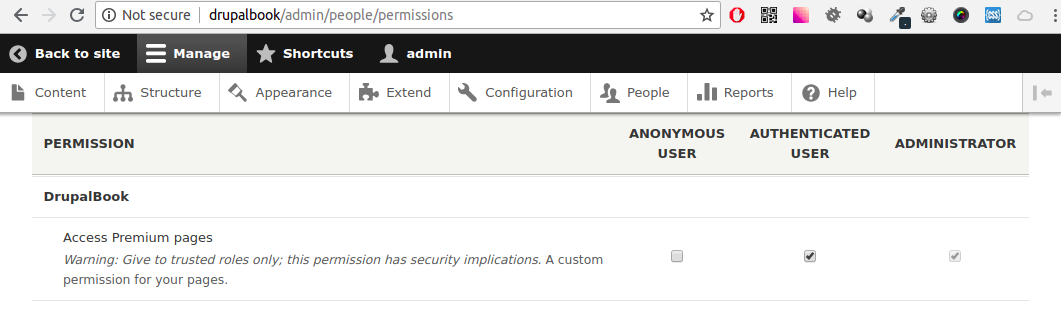
Now go to the access rights page and set access to Premium content for the necessary roles, I will do this for registered users:
/admin/people/permissions
Now in drupalbook.routing.yml create a new route, in which we indicate our new rights and a new method for displaying content:
drupalbook.private_content:
   path: '/private-page'
   defaults:
     _controller: '\Drupal\drupalbook\Controller\FirstPageController::privateContent'
     _title: 'Private content'
   requirements:
     _permission: 'access premium pages'
After adding a new route, you need to clear the cache.
We will also need to add the privateContent () method to our FirstPageController class:
/**
 * Returns a private page.
 *
 * @return array
 *   A simple renderable array.
 */
public function privateContent() {
  $element = array(
    '#markup' => 'Private content',
  );
  return $element;
}
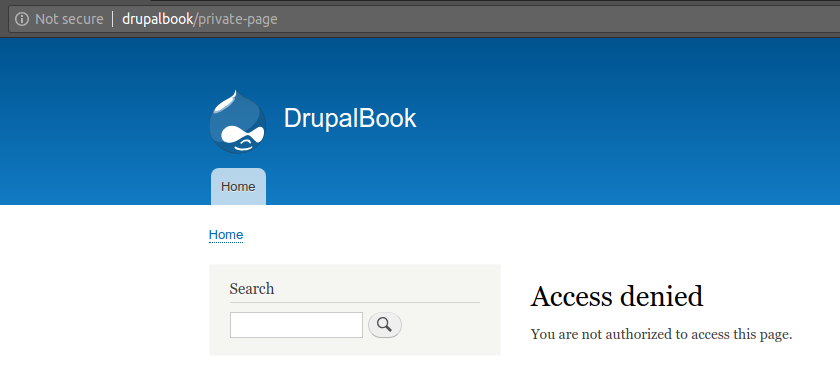
Now you can clear the cache and verify that our page is not accessible to unregistered users.
Code examples can be viewed on github: