
GET, POST, PATCH e DELETE
This section contains examples and information per request type: GET, POST, PATCH and DELETE
About the examples
All examples are working examples that you can try either in a browser or a JSON client (for example: Postman). You need a standard Drupal installation, a number of Article nodes and the JSON:API module enabled.
http://example.com/jsonapi/node/article/{{article_uuid}}
All requests use the '/jsonapi' path prefix, which is the default value of the JSON:API module. In various examples placeholders are denoted by a double curly brace syntax, eg. {{...}}. Replace them with the designated data applicable for your environment.
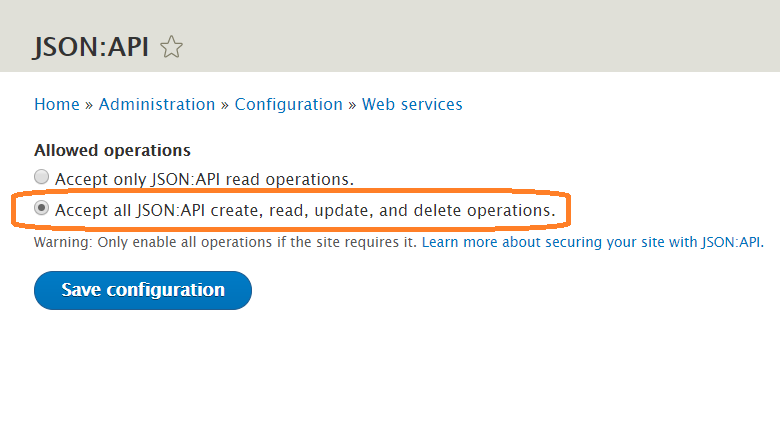
To allow POST, PATCH and DELETE operation, visit
/admin/config/services/jsonapi
and check the "Accept all JSON:API create, read, update, and delete operations." option.
Article from Drupal Documentation.