
Bulk find & replace for Palette pages
Content built with Palette lives inside each page's component tree — titles, rich text, button labels, link targets and media references are all tucked into the page's saved inputs. That makes a site-wide change awkward: the same product name or logo can appear on dozens of pages, and there is no single field to edit.
The new commands in Palette Pro solve exactly that. Each one walks all Palette pages, rewrites only what matches, saves only the pages that actually changed, and can preview everything with --dry-run before touching the database.
Rename a product
Change a product or feature name everywhere it appears in page copy and buttons.
Rebrand the company
Swap an old company name for a new one across the whole site in one run.
Repoint links
Move every link from an old URL or page to a new destination — internal or external.
Replace the logo
Point every reference to an old image/logo at a new Media item, site-wide.
The starting point
Our demo page carries all four ingredients in one view: a logo in the header, a “Download Palette” product button, navigation and call-to-action links, and a media image in the hero.
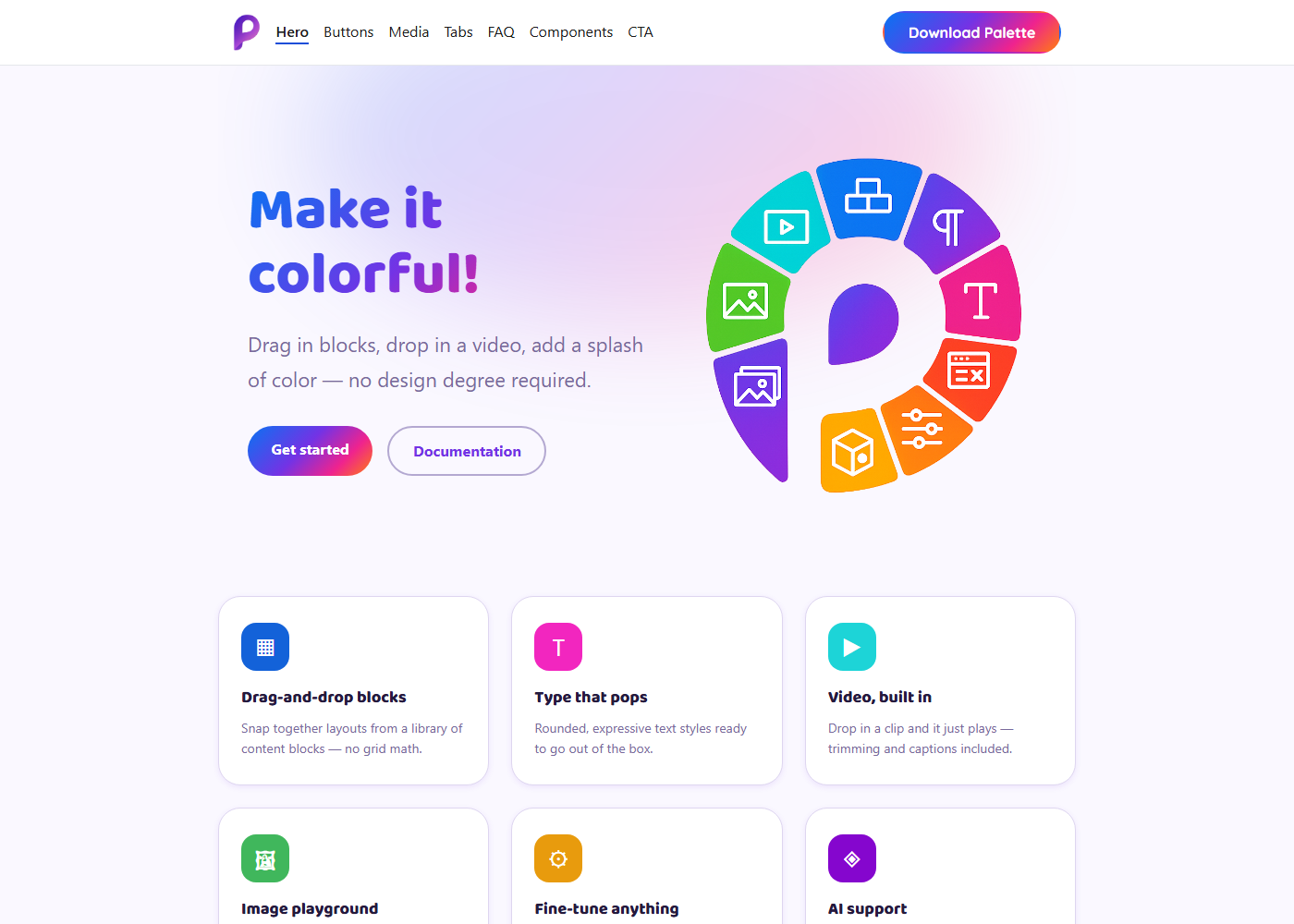
① Text & names — ppr:string
Rename a product or company across the site
Say the product “Palette” is being renamed to “Prism”. Start with a dry run to see exactly what would change — nothing is written yet:
$ drush ppr:string "Palette" "Prism" --dry-run
 ---------------- -------------
  Canvas page ID   Occurrences
 ---------------- -------------
  13               7
  22               1
 ---------------- -------------
 [OK] [dry-run] Would replace "Palette" -> "Prism": 8 occurrence(s) across 2 page(s).
The per-page table shows where the matches are. Happy with it? Drop --dry-run to apply:
$ drush ppr:string "Palette" "Prism"
 [OK] Replaced "Palette" -> "Prism": 8 occurrence(s) across 2 page(s).
The product button updates immediately — along with every other “Palette” in page copy, headings and rich text:
Before

After

Matching is a plain substring replace, applied to string values, rich-text HTML, and each page's title and description. It is case-sensitive, so Palette and palette are treated separately.
② Links — ppr:link
Point every link to a new page
When a landing page moves, update the destination everywhere it is linked. The link command matches a link URI exactly, so /about never accidentally rewrites /about-us. It works for absolute URLs and Drupal-internal ones (internal:/…) alike.
$ drush ppr:link "https://www.drupal.org/project/canvas_palette" \
        "https://prism.example.com/download" --dry-run
 ---------------- -------------
  Canvas page ID   Occurrences
 ---------------- -------------
  13               4
 ---------------- -------------
 [OK] [dry-run] Would replace
   https://www.drupal.org/project/canvas_palette
   -> https://prism.example.com/download: 4 occurrence(s) across 1 page(s).
Every call-to-action, navigation entry and inline button that pointed at the old address now resolves to the new one — in a single command, no page-by-page editing.
Internal links too
Repointing between site pages works the same way: drush ppr:link "internal:/old-page" "internal:/new-page".
③ Media & logo — ppr:media
Swap a logo or image everywhere
Media references are swapped by identity. Each argument may be a numeric media ID or a UUID, and both are validated to exist before anything changes. Here we replace the old header logo (media 24) with a new one (media 9):
$ drush ppr:media 24 9 --dry-run
 ---------------- -------------
  Canvas page ID   Occurrences
 ---------------- -------------
  13               1
 ---------------- -------------
 [OK] [dry-run] Would replace media 24 -> media 9: 1 occurrence(s) across 1 page(s).

$ drush ppr:media 24 9
 [OK] Replaced media 24 -> media 9: 1 occurrence(s) across 1 page(s).
Because the header appears on every page that uses it, a single run re-brands the logo site-wide. The command covers component image and video references as well as a page's own image field.
Before — old logo
After — new logo

The full rebrand, side by side
Three short commands — a name, a link, a logo — and the page is transformed, with the exact same edits rolling across every other Canvas page in the site.
Before
After

Built to be safe on real sites
- Preview first. Every command accepts
--dry-run, printing the exact per-page counts without writing anything. - Only what changed is saved. Pages with no match are left untouched, keeping revision history clean.
- Precise matching. Links match by exact URI; media by validated ID/UUID — no collateral edits.
- Resilient runs. If one page holds legacy component data that Canvas can no longer re-save, it is skipped with a clear warning instead of aborting the whole batch.
$ drush ppr:string "About us" "Our Story"
 ! [WARNING] 1 page(s) matched but could not be saved
             (pre-existing invalid component data) and were skipped:
 ---------------- ------------------------------------------------------------
  Canvas page ID   Save error
 ---------------- ------------------------------------------------------------
  9                inputs.baf00a36…flex_direction: The property flex_direction
                   is required.
 ---------------- ------------------------------------------------------------
The run continues and every healthy page is still updated — the skipped page is reported by ID so you can fix it separately.
Command reference
| Command | Alias | What it replaces |
|---|---|---|
palette-pro:replace-string "<search>" "<replace>" | ppr:string | Any substring in string values, rich-text HTML, and page title / description. |
palette-pro:replace-link "<old-uri>" "<new-uri>" | ppr:link | Exact-match link URIs (and bare link strings). Absolute or internal:/…. |
palette-pro:replace-media <old> <new> | ppr:media | Media references everywhere (component images/videos + page image field). Args are a media ID or UUID. |
Add --dry-run to any command to preview. Each prints a per-page table of how many occurrences it touched.