
Asymmetric translation for Drupal Canvas pages
A Canvas page keeps its whole design — every component and its content — inside one field on the entity. Out of the box, Canvas has no concept of translations: turn on language prefixes and the editor fails to load, saves in one language clobber another, and prefixed CSS URLs 404. Canvas Multilingual patches those gaps and adds a language selector to the editor.
What “asymmetric” means here
Translation systems come in two flavours. Symmetric translation forces every language to mirror the same structure — the same blocks in the same order, only the words differ. Asymmetric translation lets each language have a completely independent layout: different components, a different order, extra sections in one language that don't exist in another. Editing the Spanish page never touches the English one.
Independent per language
Each translation has its own component tree. Content, order and structure are decoupled.
Autosave-safe
Editing one language no longer overwrites or deletes its sibling translations on save.
Language switcher
A dropdown in the Canvas editor toolbar to jump between a page's languages.
On-the-fly creation
Open the editor in a new language and the translation is created for you automatically.
Requirements & install
Install with Composer
The module needs Drupal Canvas (^1.3), plus the core Language and Content Translation modules. Pull it in with Composer, then enable everything with Drush:
composer require 'drupal/canvas_multilingual:^1.0@beta'

drush en language content_translation canvas_multilingual -y
Module language has been installed.
Module content_translation has been installed.
Module canvas_multilingual has been installed.

drush cr
[success] Cache rebuild complete.
① Add a language
Add Spanish to the site
Add a second language under Configuration → Region and language → Languages (or with one Drush command). English stays the default; Spanish becomes the translation target.
drush language:add es -y
[success] Added language Spanish
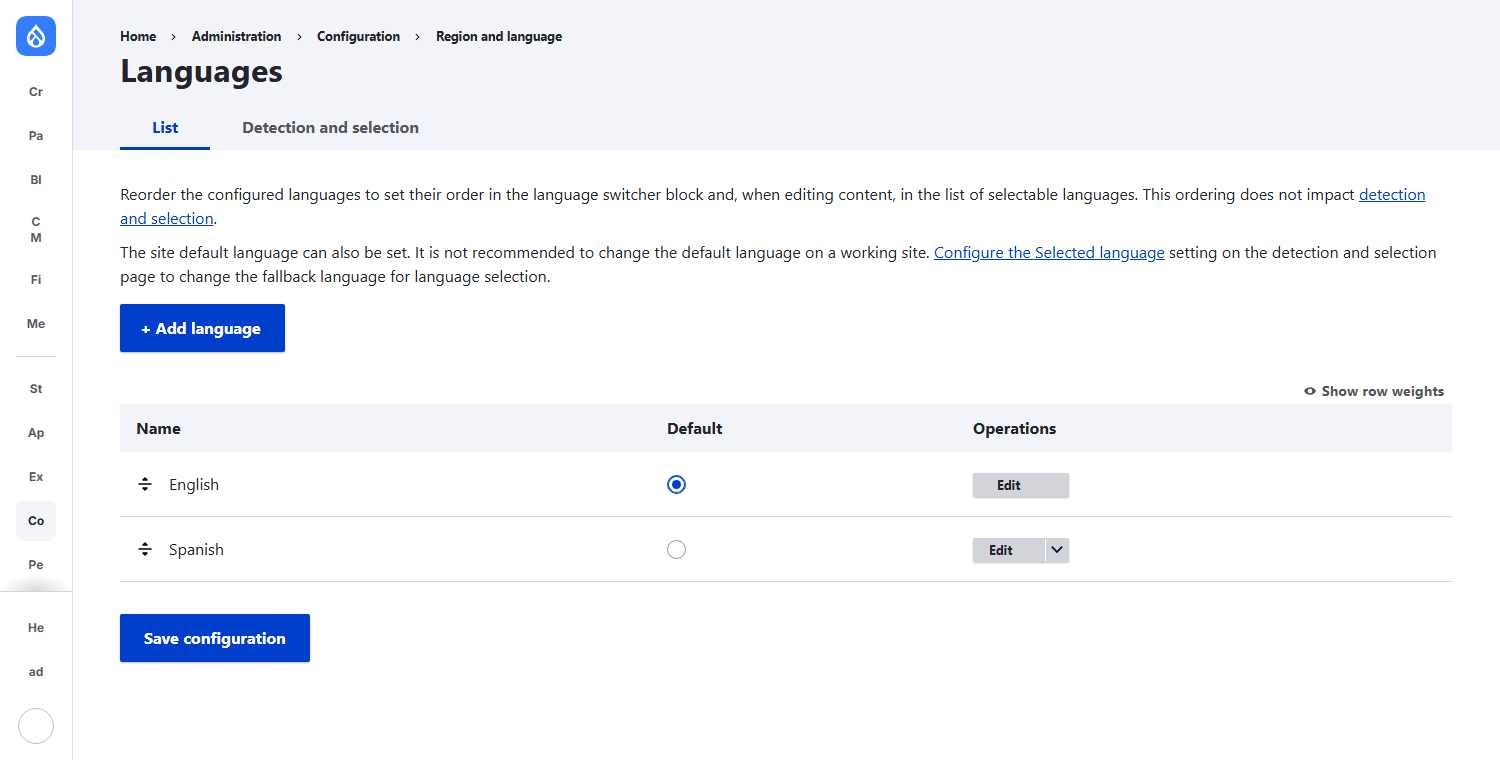
/es/ path prefix.URL path prefixes are required
Canvas Multilingual is built around language-prefixed URLs. Confirm them under Region and language → Detection and selection → URL: English keeps the empty prefix, Spanish uses es.
② Enable translation for Canvas pages
Make the “Page” entity translatable
At Configuration → Region and language → Content language and translation, tick Page (the Canvas page entity) and save. This is what allows each Canvas page to hold a separate component tree per language.
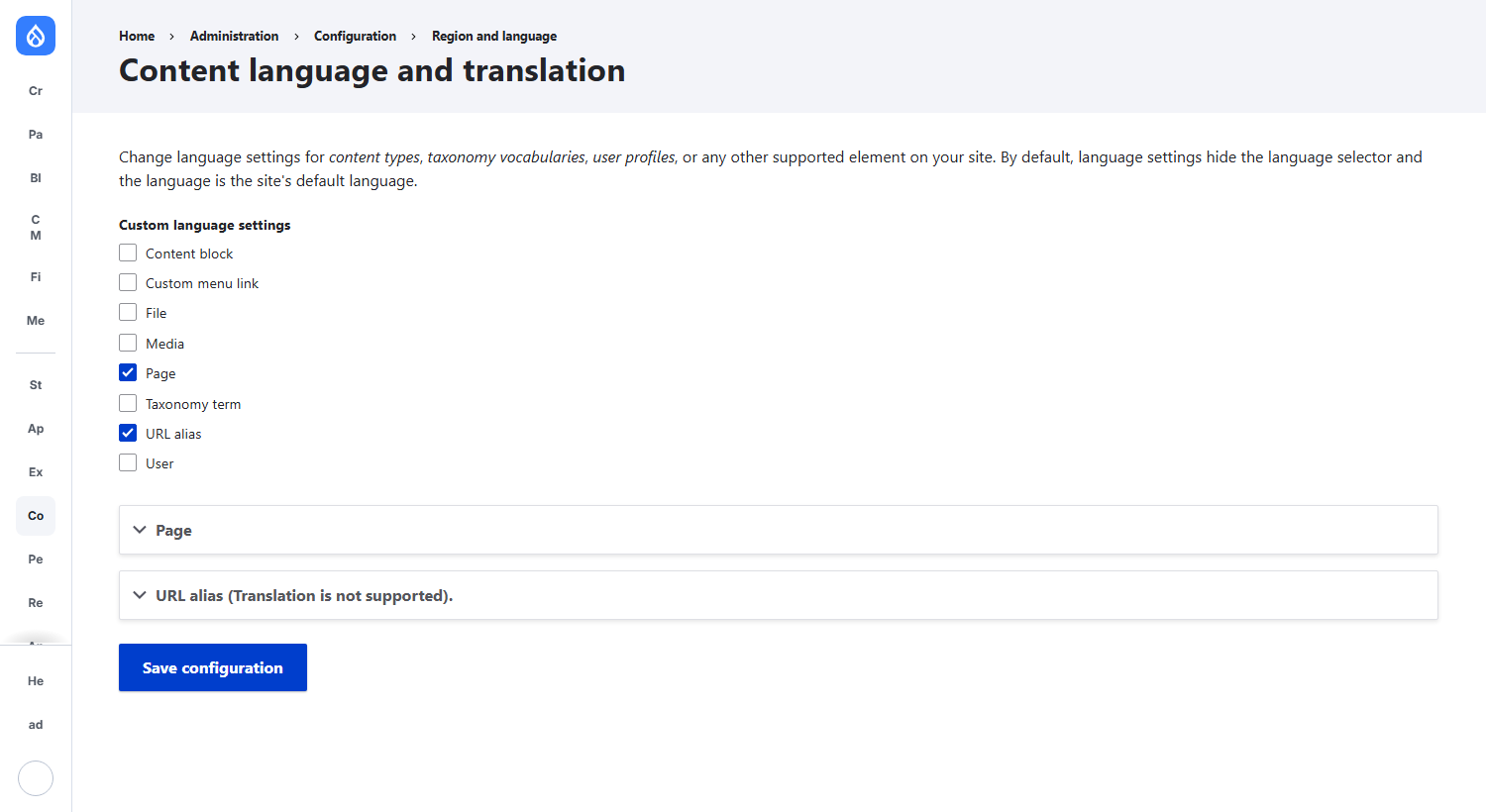
title, components, status and path fields are all translatable — the foundation for asymmetric, per-language layouts.③ Edit in the Canvas editor
The in-editor language switcher
Open any Canvas page in the editor and the module adds a language selector to the top toolbar, next to Preview. It shows the current language and lets you jump to another one.
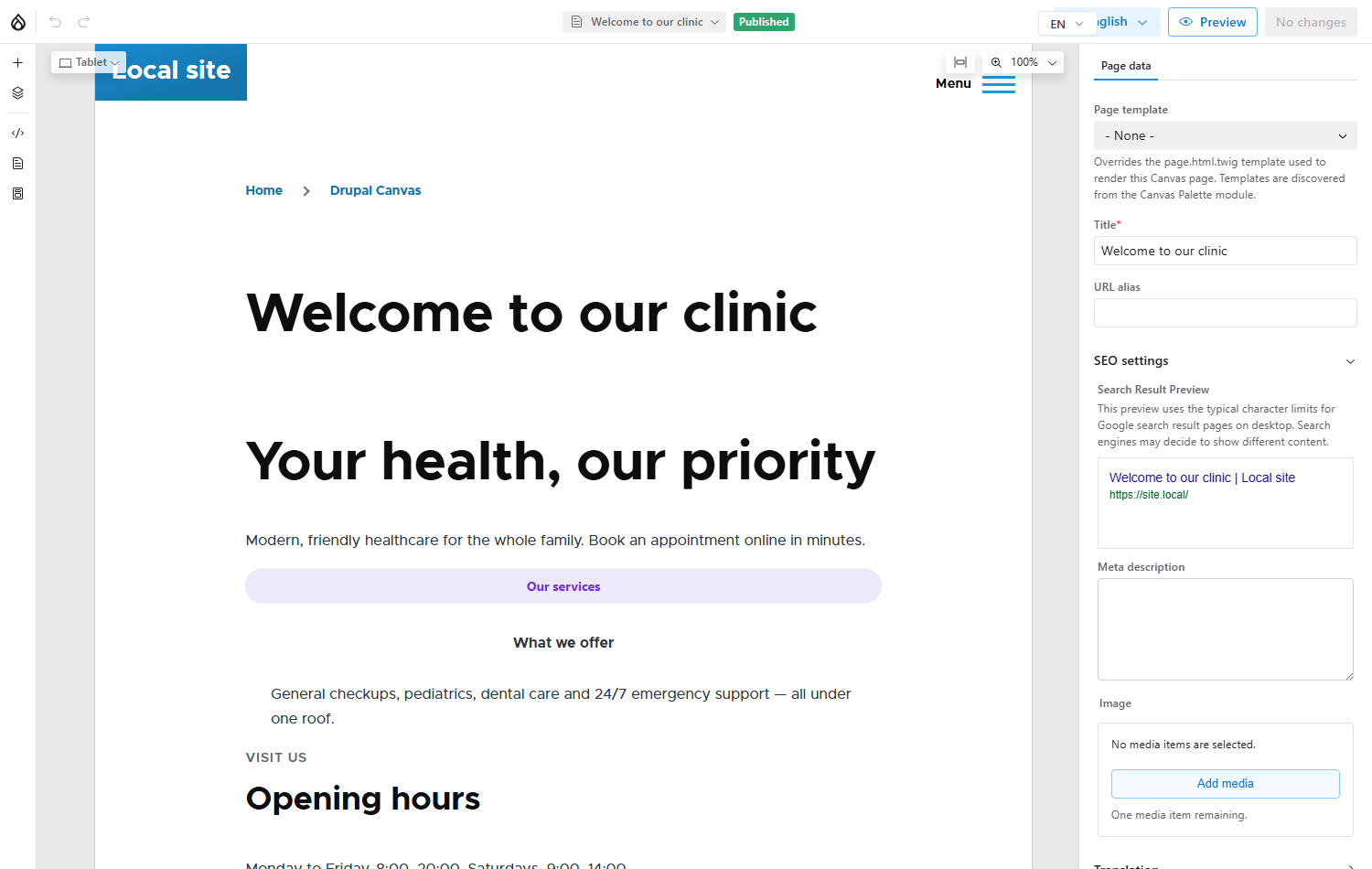

Publishing is per language
Each translation has its own publish state. Publishing from the Spanish editor publishes only Spanish. As a rule of thumb, publish or discard pending changes before switching languages so you review one language at a time.
The result: two languages, two independent layouts
Below is the same Canvas page rendered in each language. The English version and the Spanish version are not a shared template with swapped strings — they are separate component trees living on one entity, each editable without disturbing the other. Note the /es/ prefix on the Spanish URL.
English — default
https://site.local/page/1
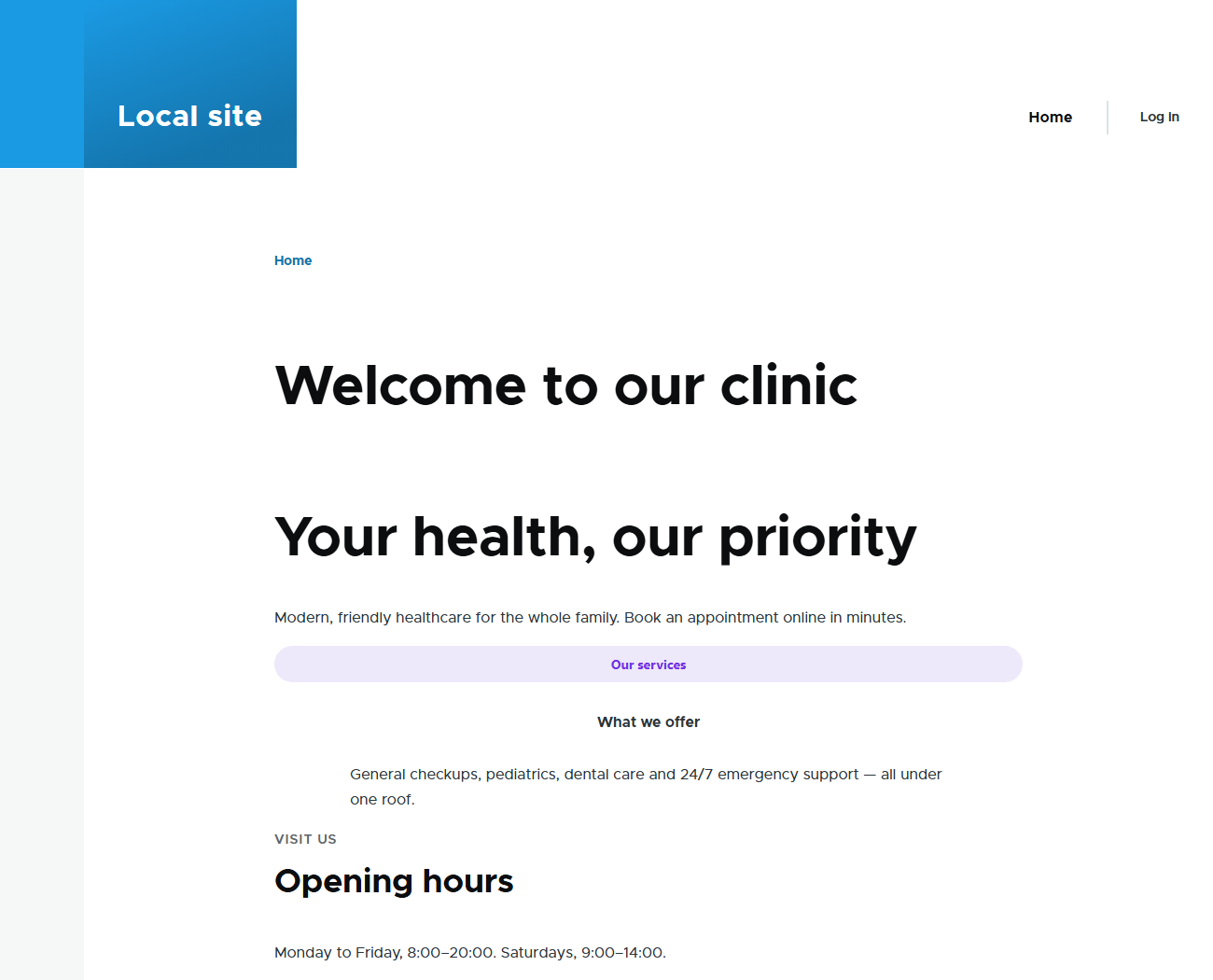
Español — /es/
https://site.local/es/page/1
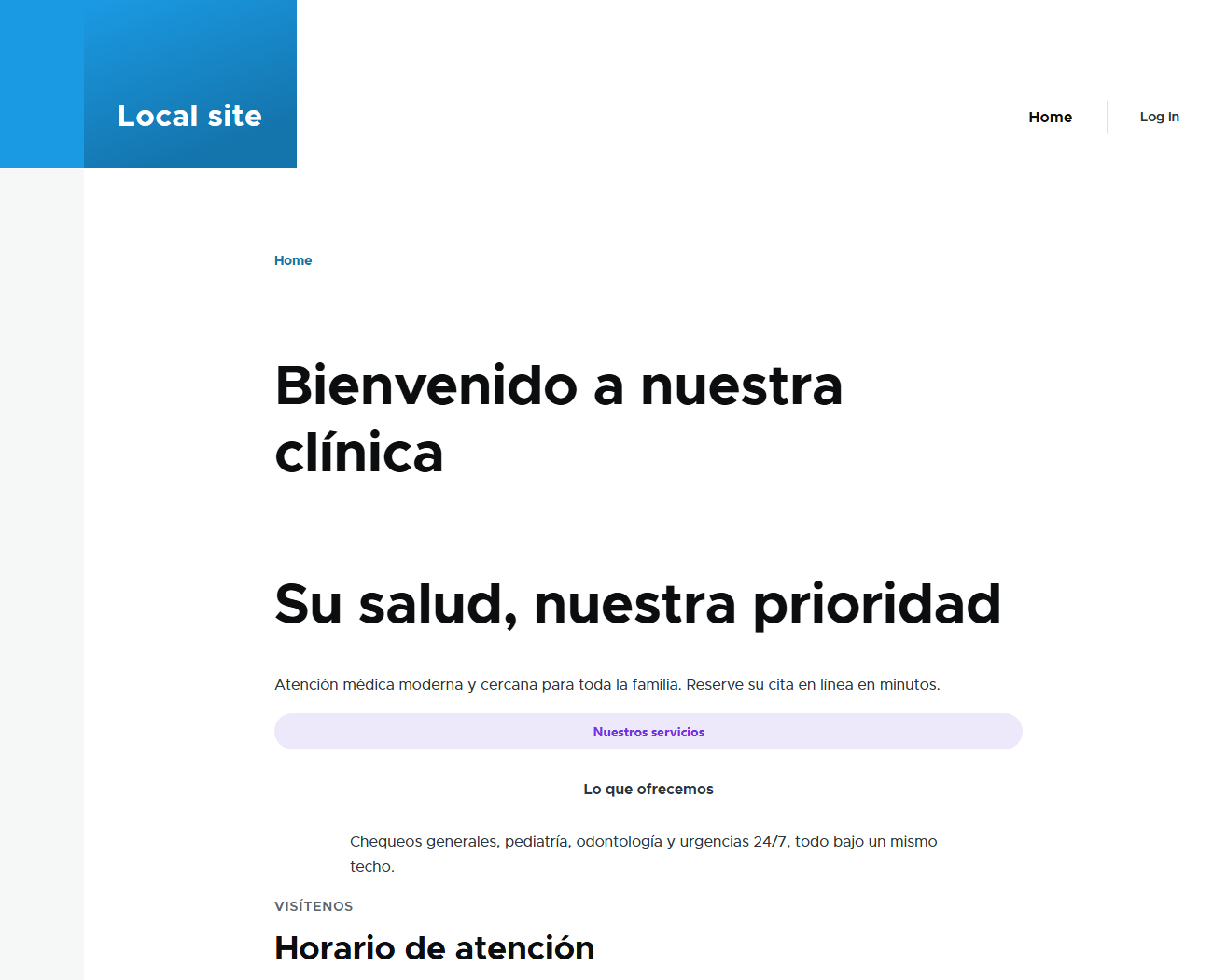
Both the page title and every component's text are translated independently. Because the component tree itself is translatable, you could just as easily give Spanish an extra section, drop one, or reorder them — the English layout would stay exactly as it is.
How it works under the hood
Canvas Multilingual is a set of targeted workarounds for how Canvas currently behaves. The most important ones:
- Autosave sibling protection. Canvas's autosave can rebuild the entity from scratch, which would drop other translations. An
entity presavehook detects this and restores siblings from the database and from other languages' autosave entries — so an edit in one language can't silently delete another. - Language-aware API resolution. An event subscriber resolves each Canvas API request to the correct translation for the active language, and creates the translation on the first (safe) GET when you open the editor in a new language.
- Translation-scoped delete. Deleting a non-default translation removes only that language (and its autosave data), leaving the default and other languages intact. Deleting the default language still removes the whole page.
- Asset 404 workaround. A small fetch interceptor strips the language prefix from
core/,themes/andmodules/asset URLs so prefixed pages don't 404 on their CSS/JS.
The module is explicit that these are interim fixes: the maintainer's stated goal is to fold them into Canvas core, at which point the workarounds become unnecessary.
Good to know
Accented URL aliases
Canvas generates aliases on the frontend and (due to an upstream Canvas bug) can drop accented characters instead of transliterating them — e.g. “Página de prueba” → /pgina-de-prueba. Fix it by editing the alias in the editor's URL alias field.
- The module is beta (
1.0.0-beta1). Every on-the-fly translation creation is logged for auditability. - If the language selector doesn't appear after setup, run
drush cr. - Canvas manages page aliases manually (Pathauto is disabled for Canvas pages); each translation gets its own alias from its title.
Setup at a glance
| Step | Where | What |
|---|---|---|
| Install | Composer / Drush | composer require 'drupal/canvas_multilingual:^1.0@beta' then drush en canvas_multilingual -y |
| Add language | /admin/config/regional/language | Add Spanish; keep URL path prefixes (es) |
| Enable translation | /admin/config/regional/content-language | Tick Page and save |
| Translate | Canvas editor | Use the language switcher → edit each language independently |
| Publish | Canvas editor | Publish each language on its own |