
Installation Palette
Palette can be installed as usual Drupal module with one line command:
composer require drupal/canvas_paletteThe install in four steps
- Require the code with Composer — pulls in other Drupal modules and all front-end libraries.
- Enable the module — with Drush or on the Extend page.
- Rebuild caches — so Canvas derives the components.
- Open Canvas — and find the components under the Palette category.
Step 1 — Require it with Composer
From your project root, require Palette. Composer automatically brings in Canvas, Webform, and the JavaScript libraries the interactive components use (Splide, tiny-slider, GLightbox, countUp.js, Coloris and more):
# The module + its hard dependency, Drupal Canvas
composer require drupal/canvas drupal/canvas_palette
On a fresh site the result looks like this — Palette pulls a full stack of packages in one go:
  - Installing drupal/webform (6.3.0)
  - Installing drupal/canvas (1.10.0)
  - Installing drupal/canvas_palette (1.0.2)
  - Installing levmyshkin/splide, tiny-slider, glightbox,
      count-up.js, coloris, accordion, sticky-js, vidbg …
Generating autoload files
No security vulnerability advisories found.levmyshkin/* packages are installed into web/libraries/ by composer/installers. You don't wire them up — each component declares the library it needs, so they load only on pages that use that component.Step 2 — Enable the module
The fastest way is Drush. Enabling canvas_palette also enables its dependencies (Canvas, Webform, Media, Media Library) in one command:
drush en canvas_palette -y[success] Module canvas_palette has been installed.
[success] Module canvas has been installed.
[success] Module media_library has been installed.
[success] Module media has been installed.
[success] Module webform has been installed.Prefer the UI? Go to Extend (/admin/modules), type “Canvas” into the filter, tick Palette and Drupal Canvas, and press Install. Drupal will offer to enable the required dependencies for you.
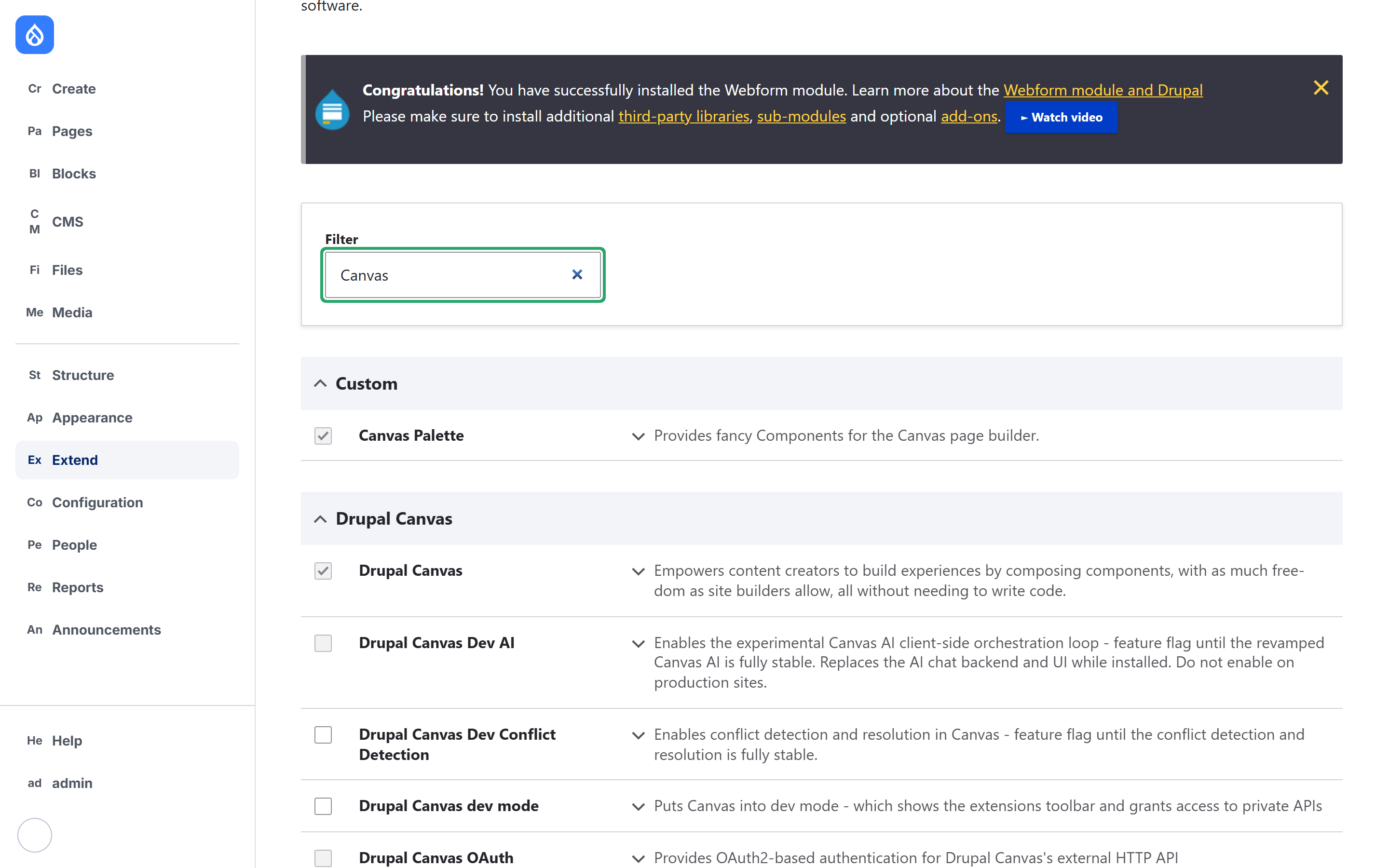
Step 3 — Rebuild caches
Canvas derives one component definition per folder and freezes its schema. After the install, rebuild caches so those definitions are generated:
drush crdrush cr may not reach the running site. If new components don't appear, also clear caches through the browser at Configuration → Development → Performance → Clear all caches.Step 4 — Open Canvas and find the components
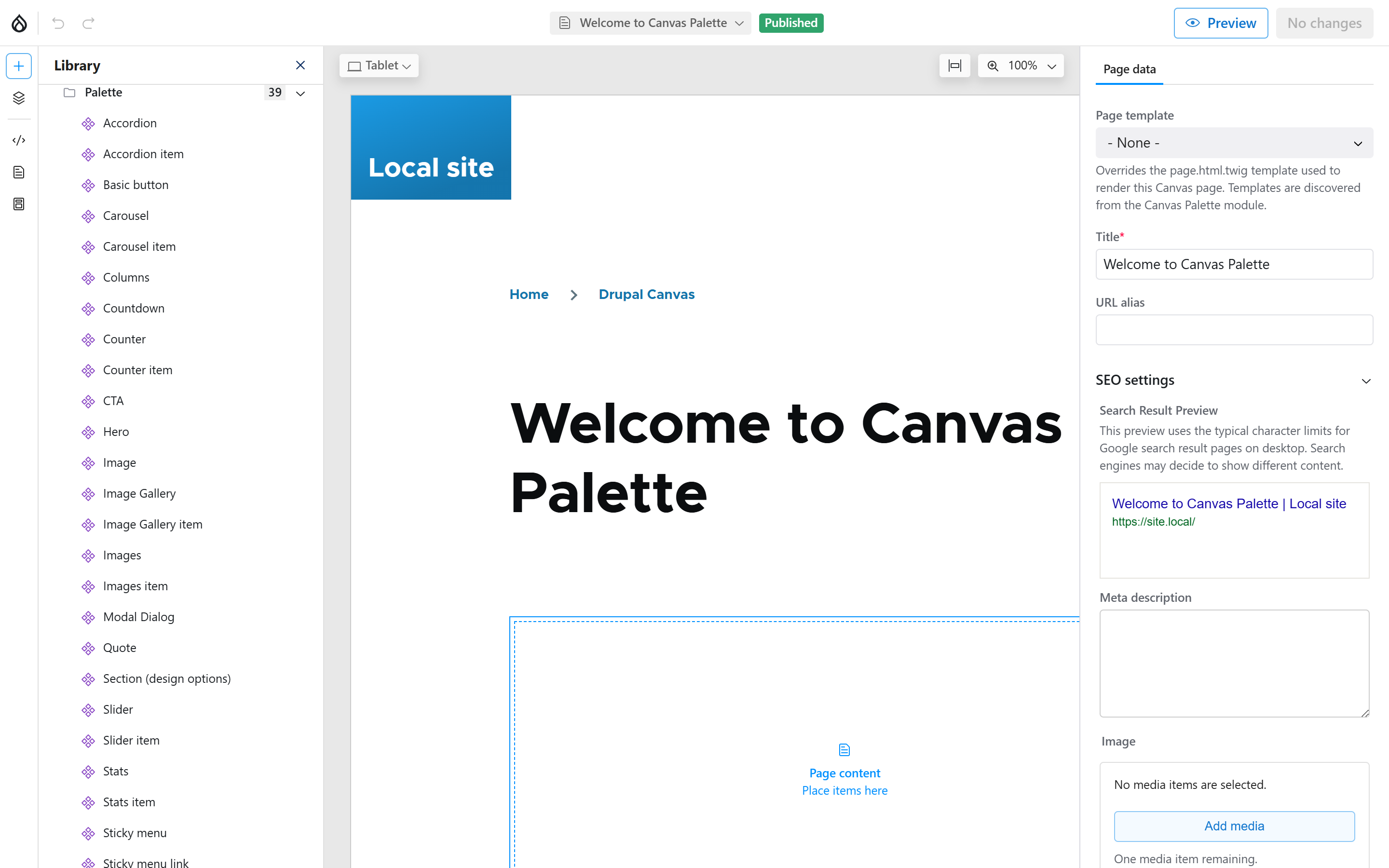
Open any Canvas page in the editor (create one under Pages, or edit an existing Canvas page). Click the + button to open the Library. Every Canvas Palette component is grouped under a single Palette category — 39 of them, from Accordion to Video Gallery:
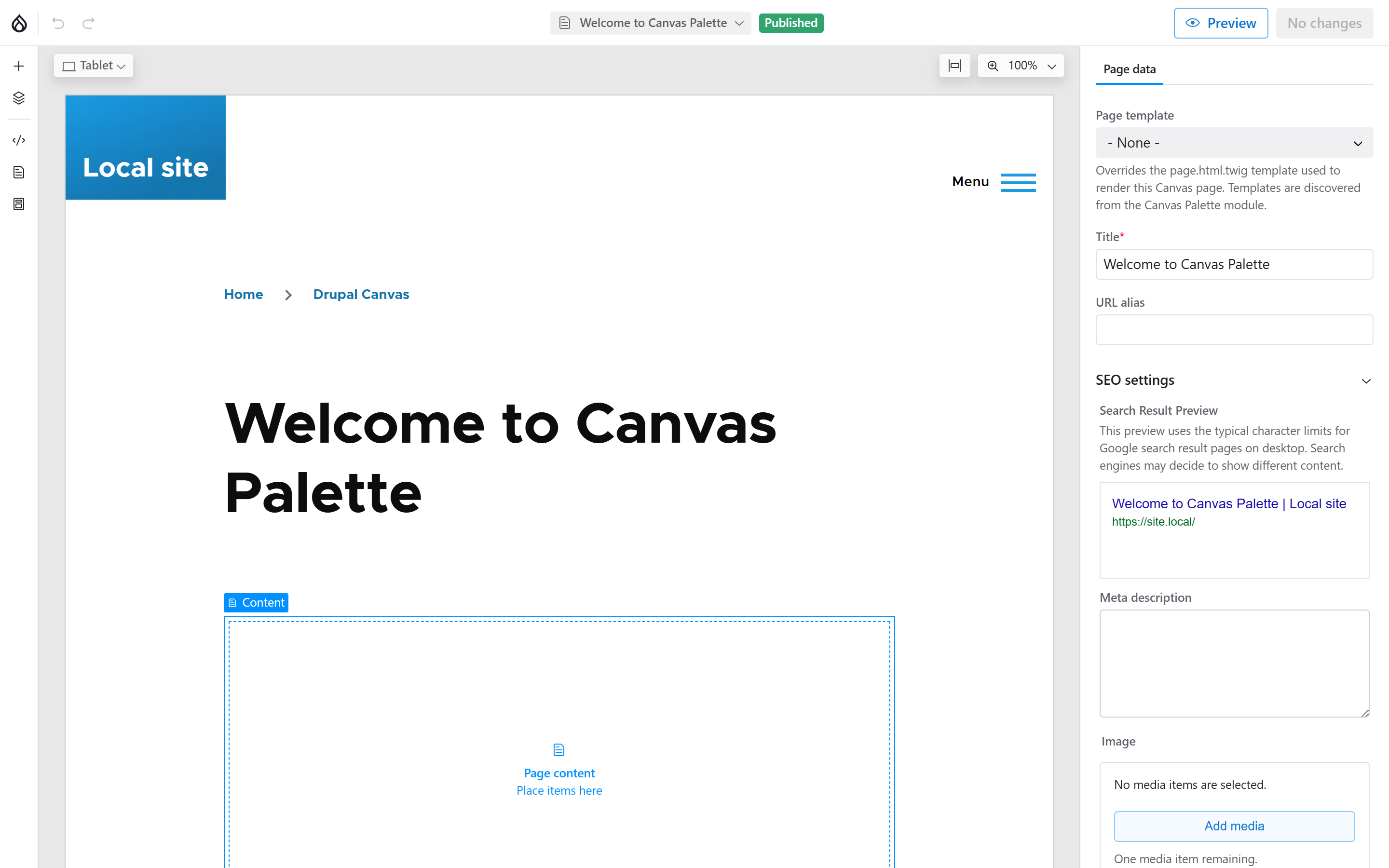
Drop a component onto the canvas and configure its props in the right-hand sidebar. Canvas Palette also registers whole-page options on the Canvas page itself — you'll see a Page template selector noting that “Templates are discovered from the Canvas Palette module”:
drush en, one cache rebuild — and the full Palette kit is live in the Canvas editor. There's no dedicated settings page; all configuration happens per component in the Canvas sidebar.