
Sync Palette pages between sites with Palette Pro (Channel + Pull)
The Palette Pro channel lets one site read another site's Canvas pages over HTTP. A source site exposes its pages; a destination registers it as a remote and pulls the pages it wants — with a per-page New / Needs update / Synced status so you always know what's out of date. It allows to sync pages between Stage and Prod.
In this walkthrough the source is staging (stg.drupalbook.org) and the destination is production (drupalbook.org). We'll sync a page that shows the Row component's layout structures.
source · Channel
destination · Remote + Pull
The page we're syncing
Our staging page stacks several Row layouts — equal columns, an offset 1/3 + 2/3, a four-column row, a multi-row full + 2, and a sidebar arrangement — each cell labelled so the structure is obvious.
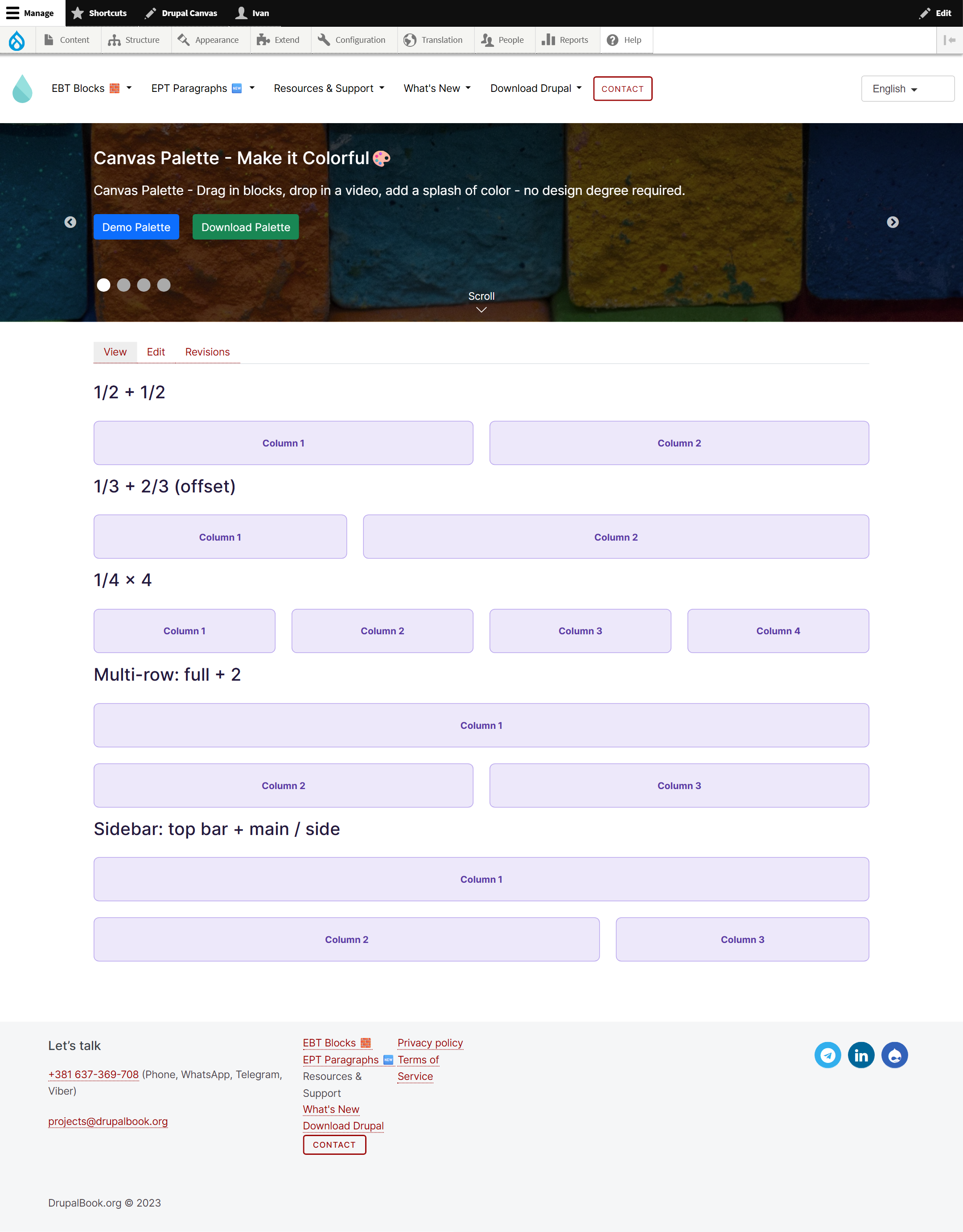
stg.drupalbook.org (the source).canvas, canvas_palette, palette_pro — and the same version of the component provider, so the page renders identically. The destination must also be able to reach the source over HTTP.Step 1 Expose the channel on the source
On staging, go to Configuration → Web services → Palette Sync channel and choose how the channel is protected:
- No authentication — open; only for trusted networks / internal use.
- HTTP Basic Auth — a Drupal user on the source holding the “Access the Palette Pro channel” permission.
- Access token — a secret sent in the
X-Palette-Sync-Tokenheader (there's a “Generate” button).
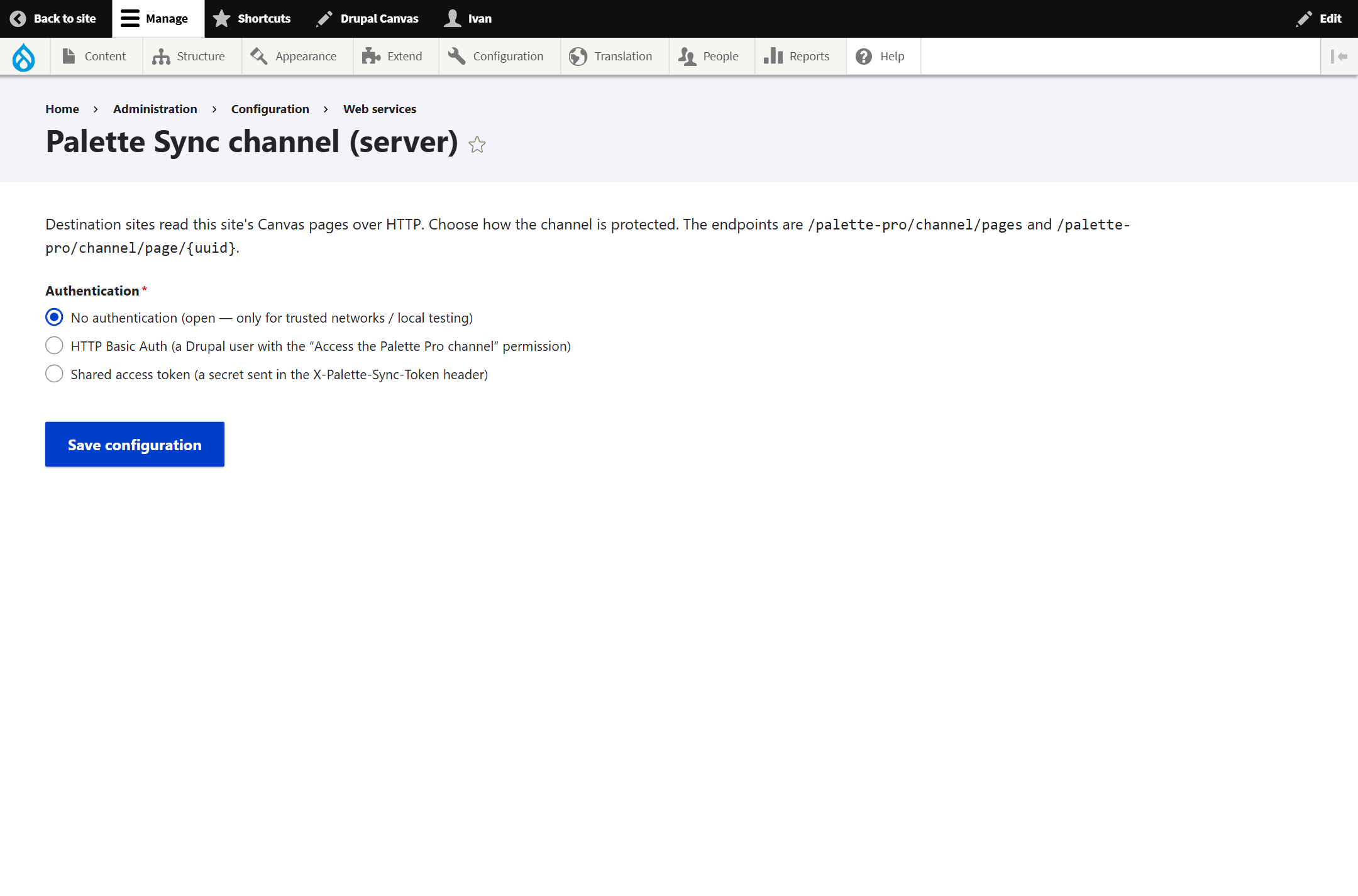
/palette-pro/channel/pages and /palette-pro/channel/page/{uuid}.Step 2 Add the remote on the destination
On production, go to Configuration → Web services → Palette Sync remotes and Add sync remote:
- Label — e.g. “Staging”.
- Source site URL — the source's base URL,
https://stg.drupalbook.org(no channel path). - Authentication — match the source's setting (here, none).
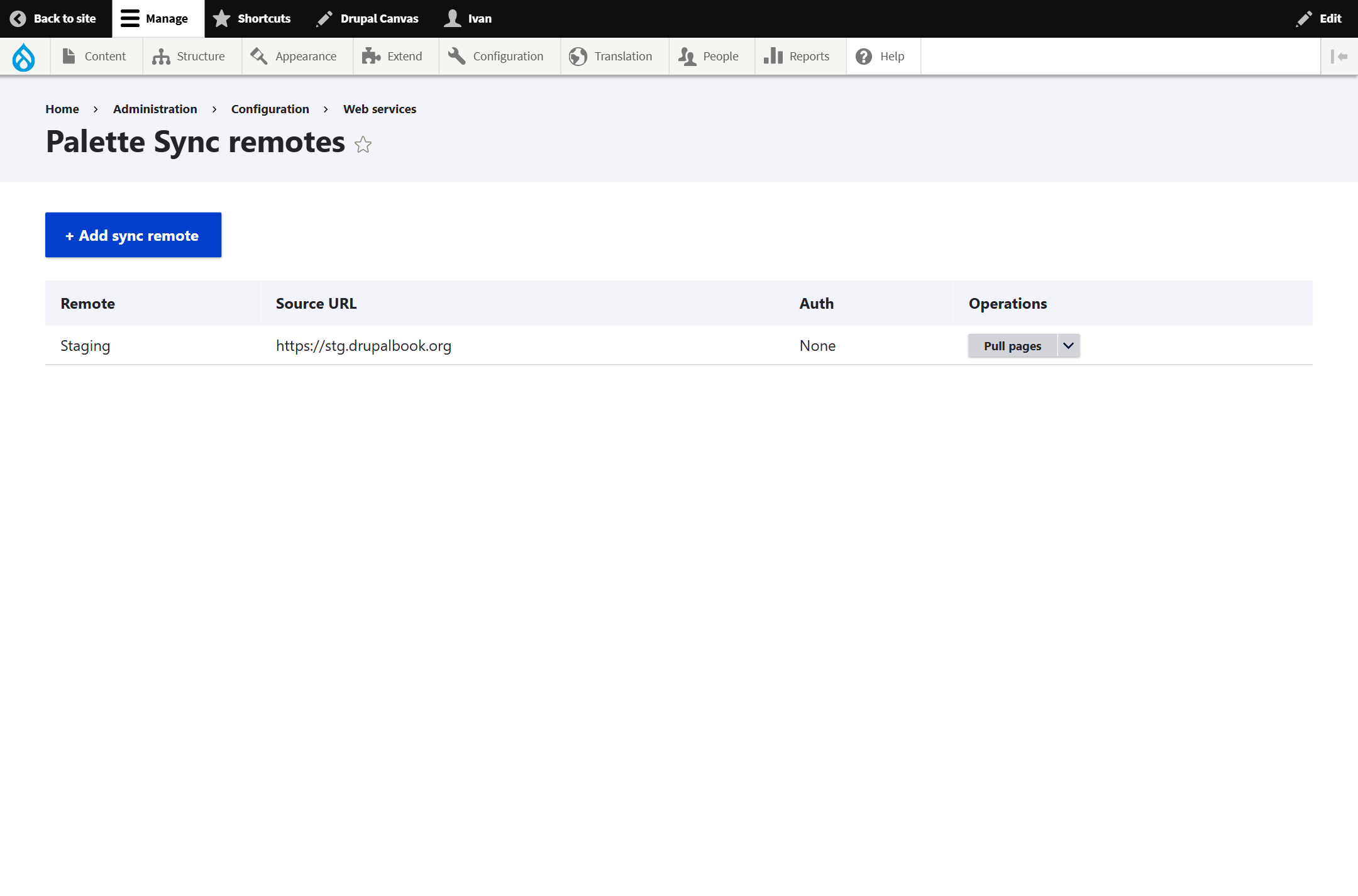
Step 3 Pull the page
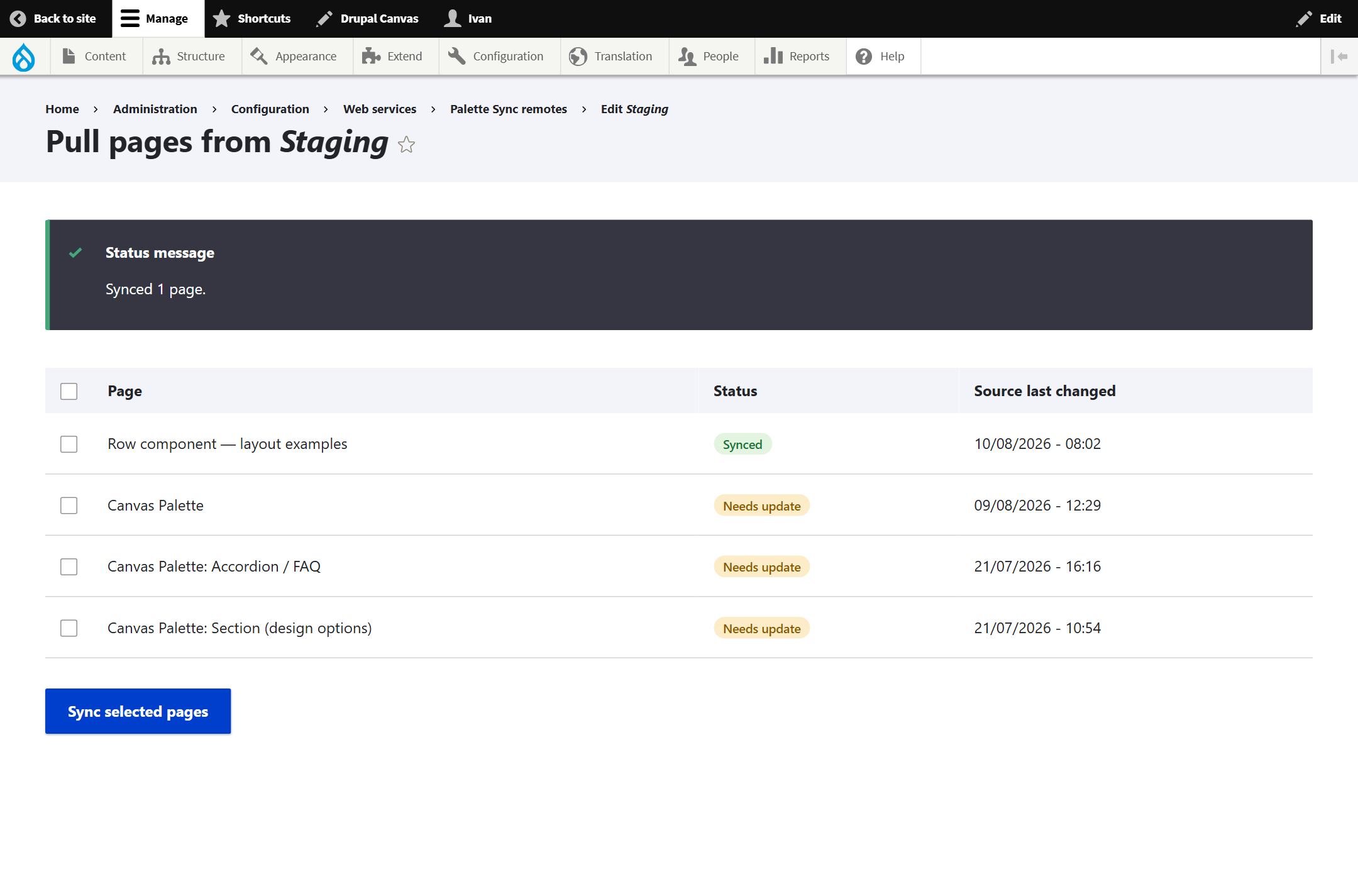
Use the remote's Pull pages operation. You get a paged list of the source's pages, each with a status badge:
| Badge | Meaning |
|---|---|
| New | No page with this UUID exists on the destination yet. |
| Needs update | A copy exists, but the source changed since you last synced it. |
| Synced | The destination copy is up to date with the source. |
Our Row page shows as New — it isn't on production yet. Tick it and press Sync selected pages.
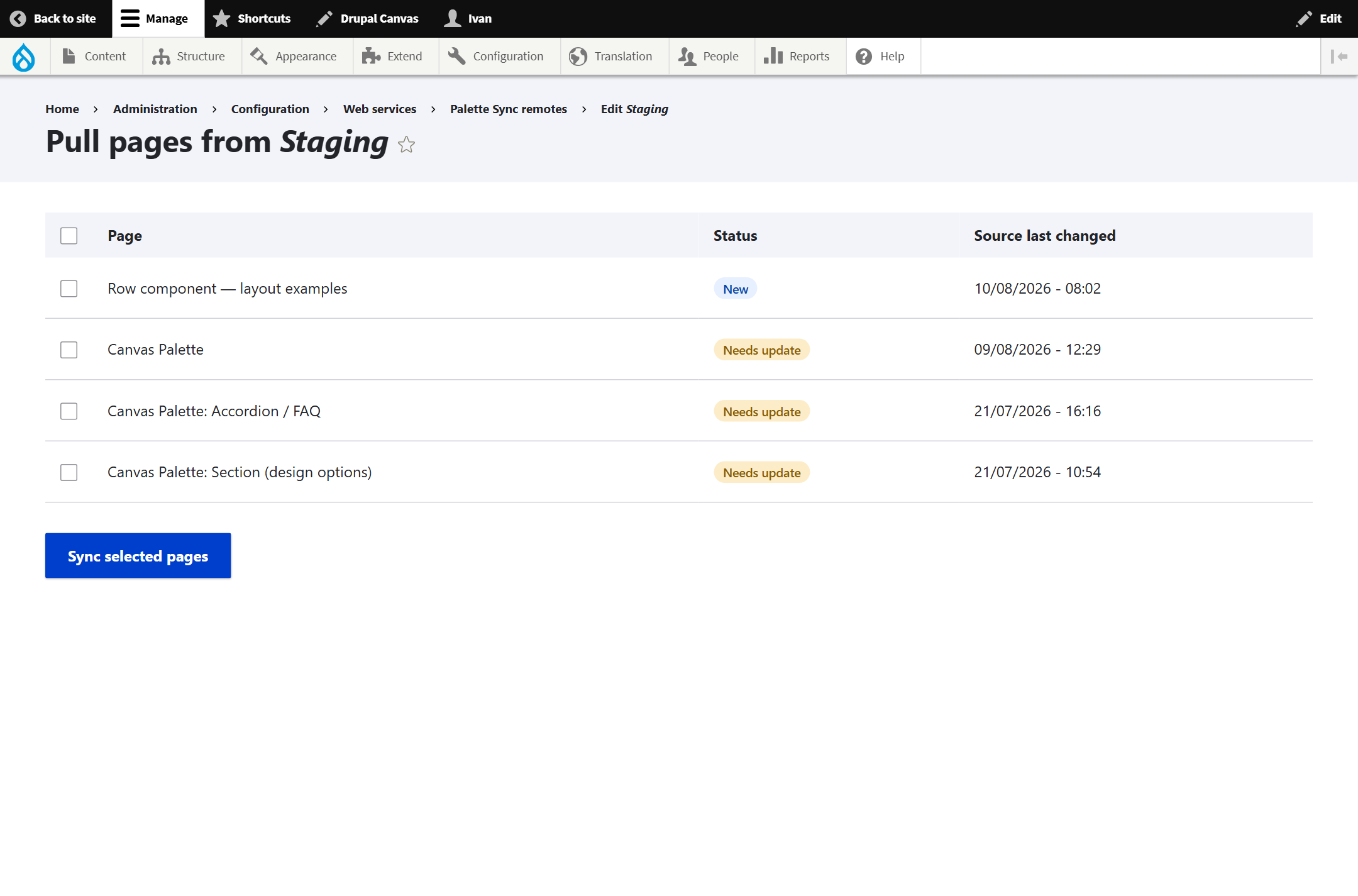
Palette Pro fetches the page's bundle over the channel and imports it — media, files and the pinned component versions included — matched by UUID. The page flips to Synced.
Step 4 Verify on production
Rebuild caches (drush cr) and open the page at its alias (/row-examples). Every Row structure renders on production exactly as it did on staging — the component tree, pinned versions and any media all carried across the channel.
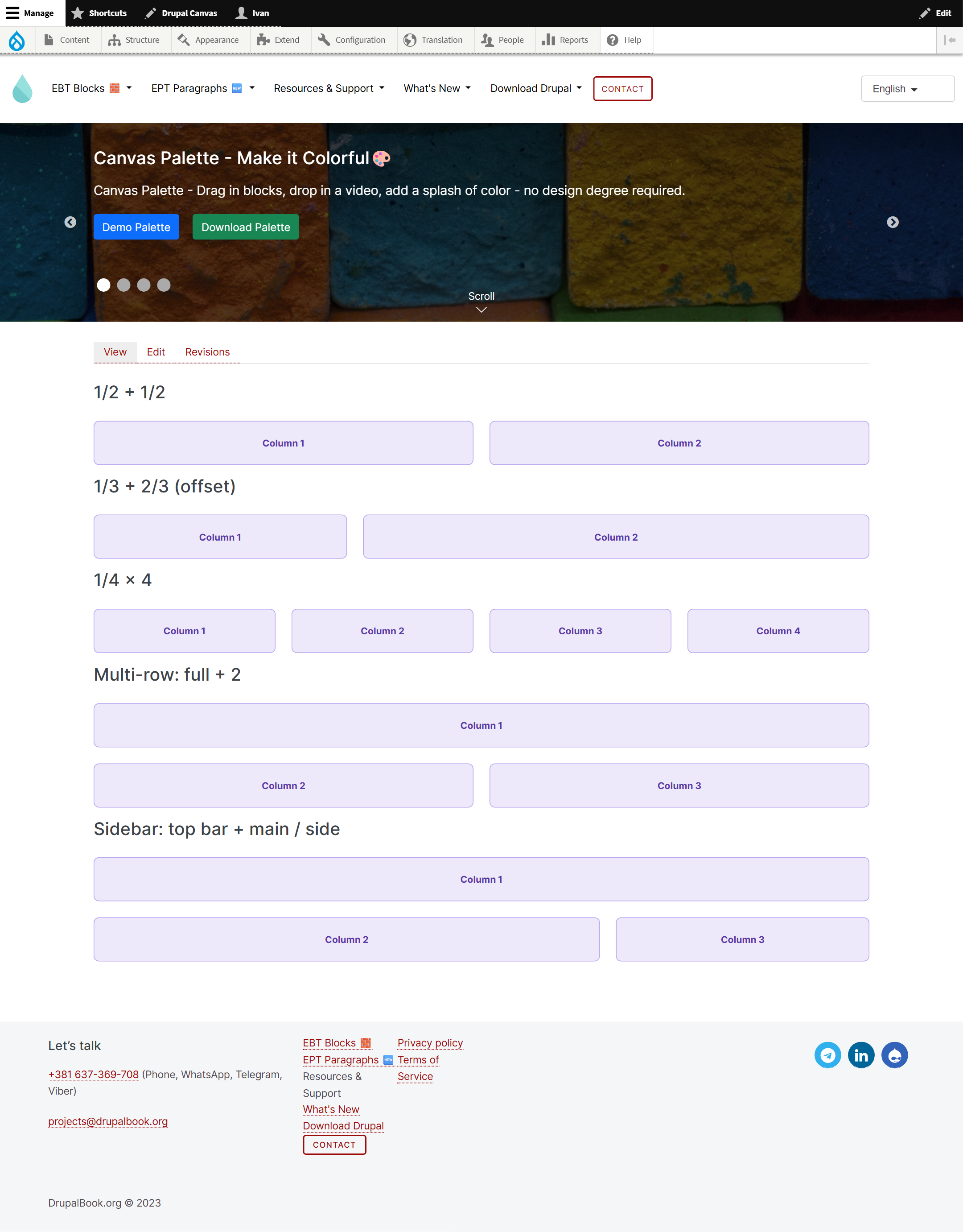
drupalbook.org (production) — identical to the source.How status & re-syncing work
The destination compares each source page's last changed time against the value it recorded the last time it synced that page. So:
- Edit the page on staging → on the next listing it shows Needs update on production.
- Pull it again → it updates the same page in place (matched by UUID, never duplicated) and returns to Synced.
Prefer the command line? The same bundle is available via Drush — export on the source, import on the destination:
# on staging
drush palette-sync:export 5 --out=row.json
# on production
drush palette-sync:import row.json
The channel simply automates this over HTTP, with the status listing on top.
Notes & gotchas
- Keep versions in sync. If production runs a different version of the components than staging, the page still imports but may not look pixel-identical — align the module versions.
- Idempotent by UUID. Re-pulling updates in place; it never creates duplicates.
- Reachability. The destination's PHP must be able to reach the source's channel URL over HTTP(S); protect a public channel with a token or Basic Auth.
- Multiple sources. A destination can register several remotes and pull from each.
Screenshots captured from the live stg.drupalbook.org (source) and drupalbook.org (destination) during a real sync.