
-
EBT Blocks 🧱
-
EPT Paragraphs 🆕
-
Resources & Support
- Drupal Book
- Blog
- Case Studies
- Drupal Documentation
- JSON Drop API Documentation
- Forum
- What's New
- Download Drupal
- Contact
Extra Block Types (EBT) - New Layout Builder experience❗
Extra Block Types (EBT) - styled, customizable block types: Slideshows, Tabs, Cards, Accordions and many others. Built-in settings for background, DOM Box, javascript plugins. Experience the future of layout building today.
❗Extra Paragraph Types (EPT) - New Paragraphs experience
Extra Paragraph Types (EPT) - analogical paragraph based set of modules.
GLightbox is a pure javascript lightbox (Colorbox alternative without jQuery)❗
It can display images, iframes, inline content and videos with optional autoplay for YouTube, Vimeo and even self-hosted videos.
如何將 Drupal 本地化為繁體中文
在安裝 Drupal 時,您可以選擇語言,Drupal 會自動下載介面的翻譯。不過,您可以看到許多語言並未包含介面所需的全部翻譯:
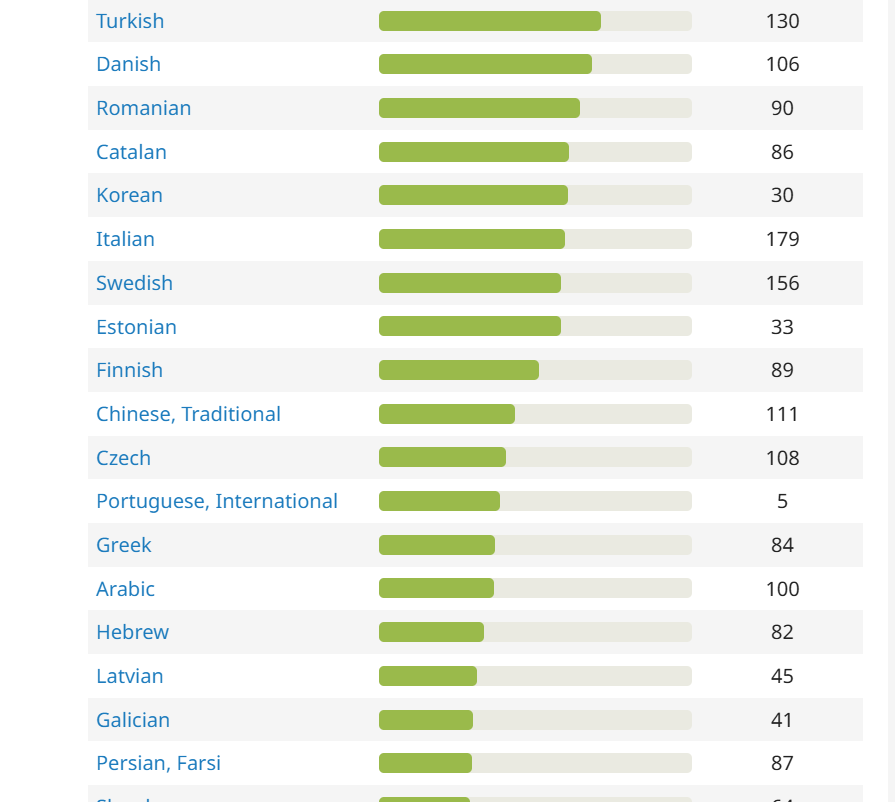
您將會取得部分翻譯,但其餘所有翻譯都需要從 .po 檔案中手動匯入(請使用 Ctrl + S 儲存此檔案):
首先,請確認您的 Drupal 網站上已存在對應的語言:
/admin/config/regional/language
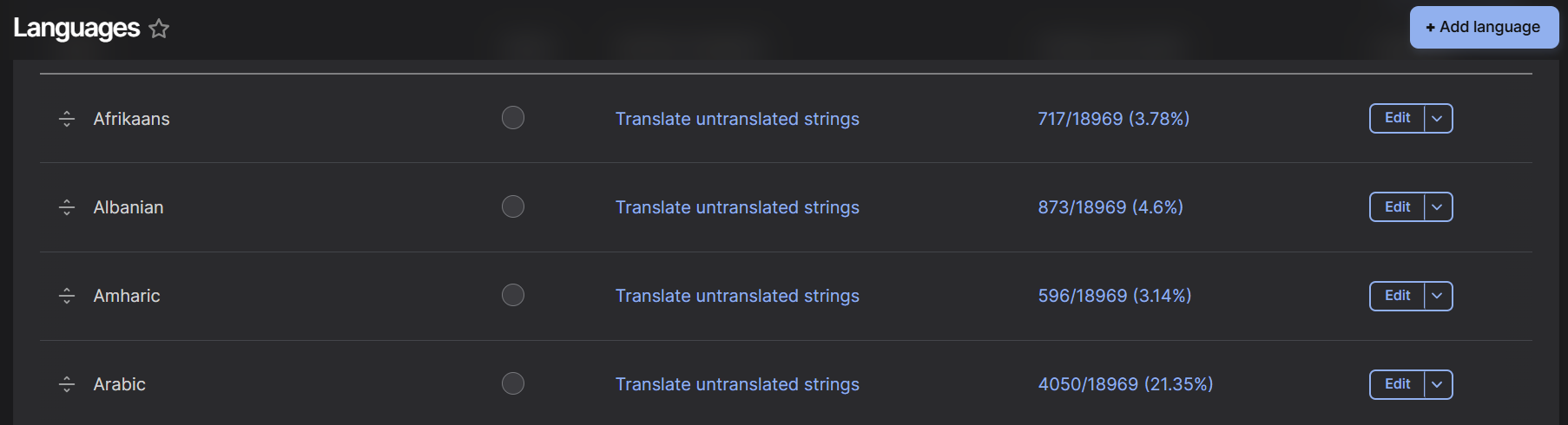
如果尚未加入您的語言,請點擊「新增語言」按鈕進行新增。
如果網站上沒有此頁面,則需要啟用 Language 與 Configuration Translation 模組:
/admin/modules

下載 .po 檔案並確認網站上已有您的語言後,請前往匯入頁面,上傳 .po 檔案並選擇您的語言(設定 > 區域與語言 > 使用者介面翻譯 > 匯入):
/admin/config/regional/translate/import
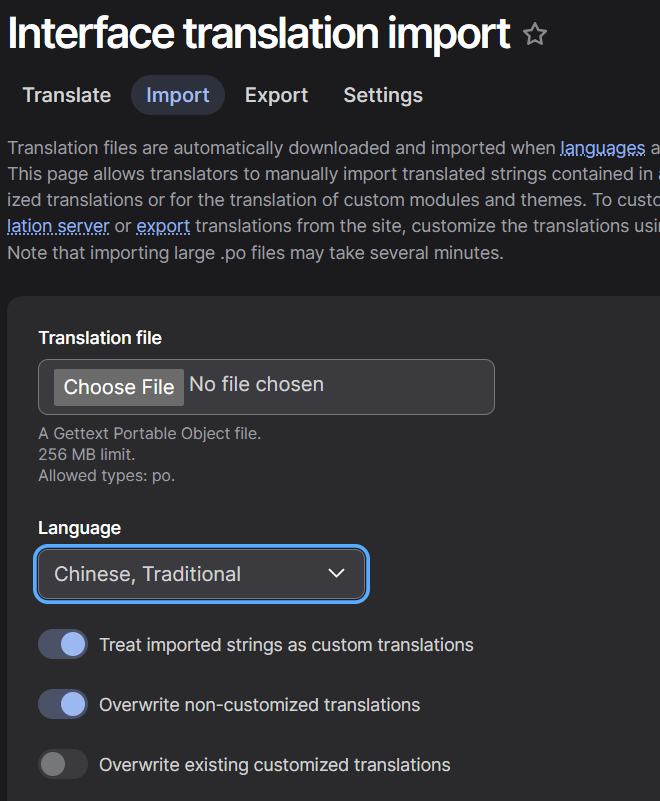
完成後,您的介面將會翻譯為所選語言。
另請參閱
https://github.com/levmyshkin/localize-drupal - 包含所有語言翻譯的最新 .po 檔案。歡迎提交包含更佳翻譯的 pull request。
https://localize.drupal.org/ - 官方網站,用於新增/編輯所有語言的翻譯字串。您可以在此提交自己的翻譯,協助提升介面翻譯品質。
https://www.drupal.org/project/l10n_client - Drupal 模組,可協助您翻譯網站中的個別字串。