
In this video we will make a block of reviews through the module Views Slideshow.
https://www.drupal.org/project/views_slideshow
PSD layout:
https://github.com/Drupalbook/bootstrap/raw/master/blueasy-freebie.zip

In this video we will make a block with social icons using the Font Awesome icons.
PSD layout:
https://github.com/Drupalbook/bootstrap/raw/master/blueasy-freebie.zip

In this video, we stylize a block with the latest tweets.
PSD layout:
https://github.com/Drupalbook/bootstrap/raw/master/blueasy-freebie.zip
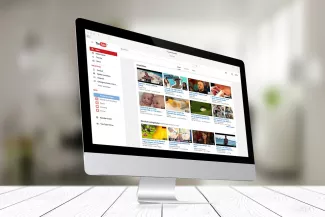
In this video, we’ll show you how to add blocks from Youtube/Vimeo videos.
Video:
https://youtu.be/vpfcJQkNQww
PSD layout:
https://github.com/Drupalbook/bootstrap/raw/master/blueasy-freebie.zip


In the last lesson, we looked at how to compile LESS using the built-in watcher in PhpStorm. In this tutorial, we will create a theme based on SASS Boostrap. If you are unable to deal with LESS and compiling through PhpStorm, then you can try using Gulp and SASS. At this stage of the lessons, it doesn’t matter for us what to use LESS or SASS. But I would recommend that you use SASS and Gulp, because compilation is faster and easier to configure Gulp.

Before you begin development on Drupal 8, you must disable the cache. Unlike Drupal 7, in the 8th version of Drupal, not only entities, views, fields are cached, now compiled twig and render templates are cached. In order to disable all this cache, you need to do the following.
1. Copy the /sites/example.settings.local.php file to the /sites/default/settings.local.php file
This file already has the necessary settings to disable the cache

In past lessons, we have already looked at how to create a theme based on another Stable theme. In this tutorial, we’ll show you how to create a theme based on Bootstrap, a popular framework for quickly creating page layouts.
I think you already have Drupal installed. Let's move on to installing Bootstrap: