We have already dealt with the Display Suite module, which allows you to organize the output of the content type in several columns.
Now we will consider the Page Manager and Panels modules, they allow you to display in the column not only the content type, but also additional blocks on the page. This is especially convenient for the home page of the site, where we place various announcements of news, blogs, articles.
Let's enable the following modules of Chaos Tools, Page Manager, Layout Plugin, Panels:
You probably already know how to add new content type, fields, and that in Drupal you can display these fields in different ways. If not, you should read or see articles on this topic:

Drupal allows you to create rss feeds from a site. Perhaps rss feeds are not as popular as social networks, but they are used by a fairly large number of users. Therefore, Drupal provides this opportunity. You can configure your feed on the Configuration - Web Services - RSS publishing:

On the settings page, we can set how many recent entries should be displayed in the news feed.

Drupal has ample opportunity for translation. Let have a look at how you can add a new language to a site such as German. To do this, go to Regions and language configurations, before this, the language, Configuration Translation, Content Translation, Interface Translation modules must be installed.
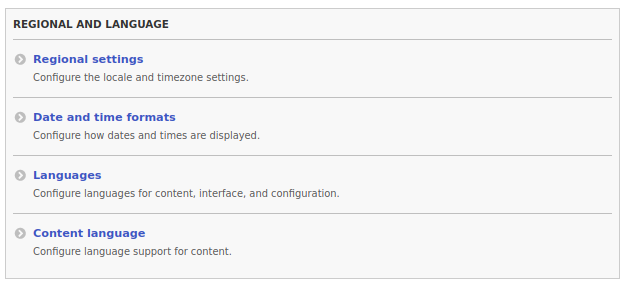
Let's go through all the settings in this section.
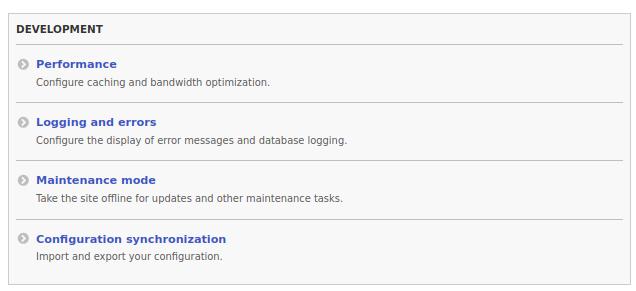
The next section of the admin panel is Development is large and requires careful consideration, this section will allow your Drupal site to work 10 times faster. Therefore, let's take a look at all the settings in this section.

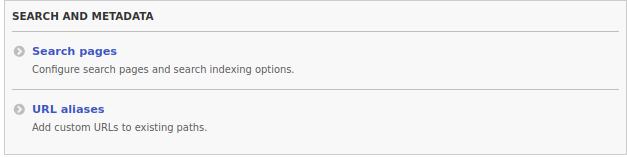
The search and metadata section contains settings for searching the site and URL aliases. Let's start with the search.

In this article, we will analyze the settings for Image Styles, File system and image toolkit.
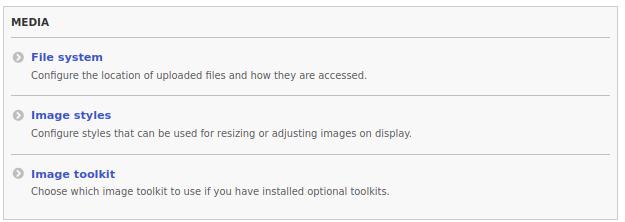
If you looked at my past articles, then you are probably already familiar with the Image Styles and visited the Media settings. But if you have not had time, then we will do it now. Let's go to the Configuration - Media - Image Styles page:

Drupal sites are usually made in order to put on the Internet. And when you post a site, it becomes available to the whole world, including spammers and crawlers looking for the opportunity to post spam and their code on your site. Drupal has checks and text filters to find and neutralize code from your data entry forms (you can read more about XSS attacks).
Let's go to Configuration - content authoring - Text formats and editors:
/admin/config/content/formats

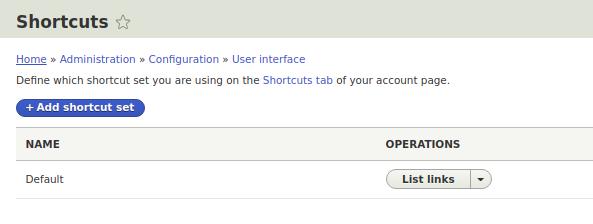
Perhaps you have pages on the site where you go most often, maybe reports, orders, content and comments. This is very useful for a client who will visit the site only on certain pages. To do this, you can use shortcuts with quick links to important pages:
/admin/config/user-interface/shortcut